 NexSHOPX-官方新闻
Let's first address the two most pressing questions:
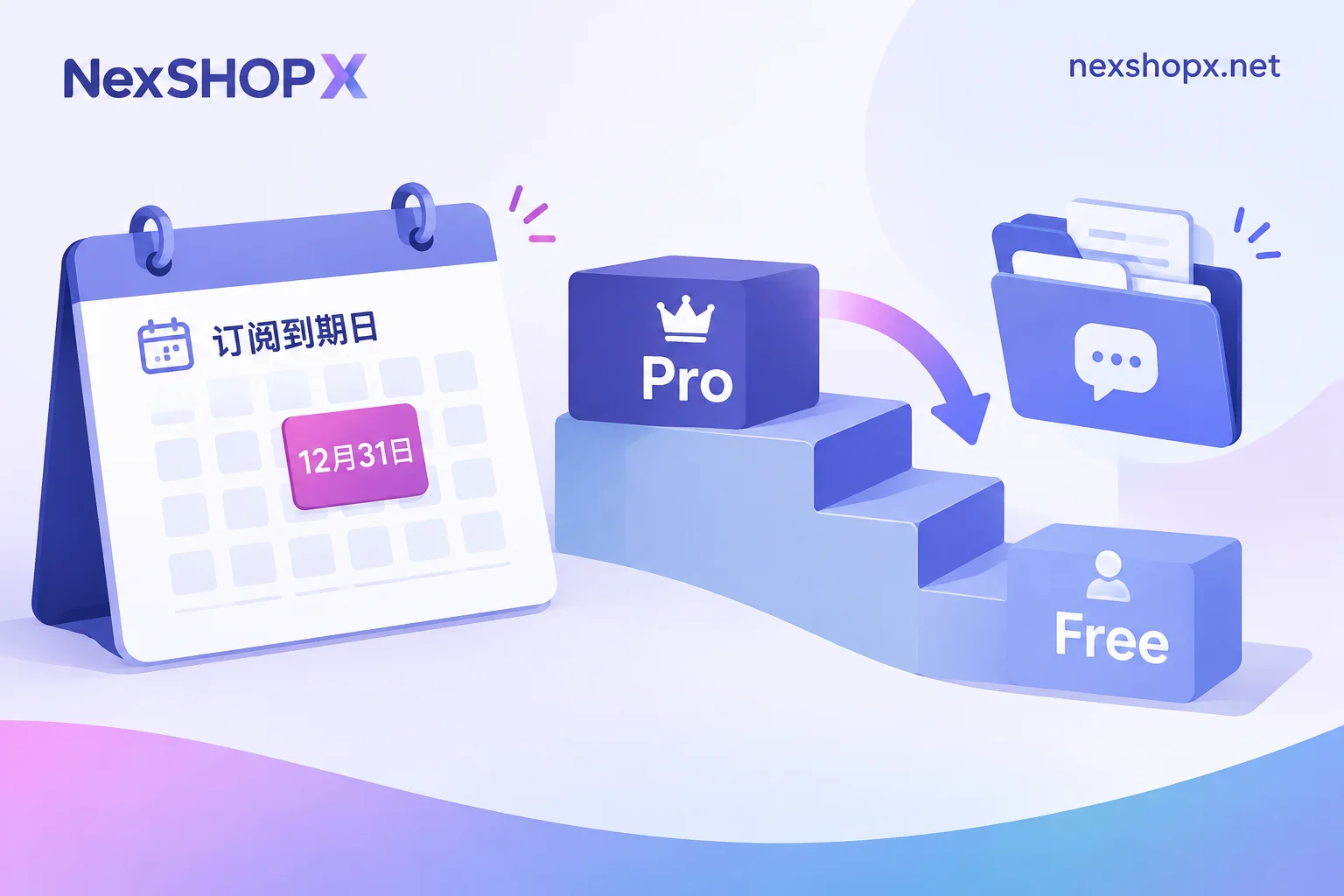
Expiry won't lose your account. After your Claude Pro cycle ends or a payment fails, Anthropic won't cancel or delete your account—it downgrades you to the free tier. Your chat history, project files in Projects, and Artifacts from your Pro period remain in your account; you can still log in, open, and read them. What changes is the usage side: message frequency limits revert to free tier standards, and available models and context window are also limited to free tier.
Renewal usually doesn't happen automatically. Agent-purchased memberships upgrade your own real account, mostly using overseas virtual cards or independent payment channels, billed monthly or for a fixed period. The card typically doesn't have funds preloaded for the next month, so at expiry it often isn't "renewed" but simply ends the current billing period because payment can't be collected. To continue using it, you need to take action.
Below, we'll detail each of these two aspects.
What actually happens to your account on expiry day
The downgrade is silent—no one will notify you that "your account is gone." Typical signs: one day you're chatting and suddenly hit a usage limit, or some options disappear from the model selection list. At that point, check Settings for subscription status, which will likely show Free.
It's worth confirming the data aspect: chat history, Projects, and Artifacts are account content and are not cleared by downgrade. This means you don't need to frantically export backups before expiry, nor renew early just to "save records." Of course, if a project is important to you, exporting a copy is good practice, but that's not causally related to subscription expiry.
What's affected is capability: free tier has tighter message limits, shorter context length, and fewer available models. Handling long documents and complex multi-turn tasks becomes noticeably harder. If your workflow relies on Pro's quotas, the cost of interruption mainly shows here.
Don't expect a clear grace period for payment failures
Official subscriptions use Stripe recurring billing. If a payment fails due to insufficient card balance or an invalid card, Anthropic won't accumulate debt or let you use the service and pay later—the billing page will prompt you to update your payment method, and benefits stop there, switching to Free or Past Due status.
One thing to be honest about: Anthropic hasn't publicly stated how many days of buffer you get after a payment failure. Observations suggest they retry a few times within one to three days, and if still failing, they terminate. So "waiting for it to try again" isn't a reliable plan—treat any payment failure notification as already terminated.
Two renewal methods, and who each suits
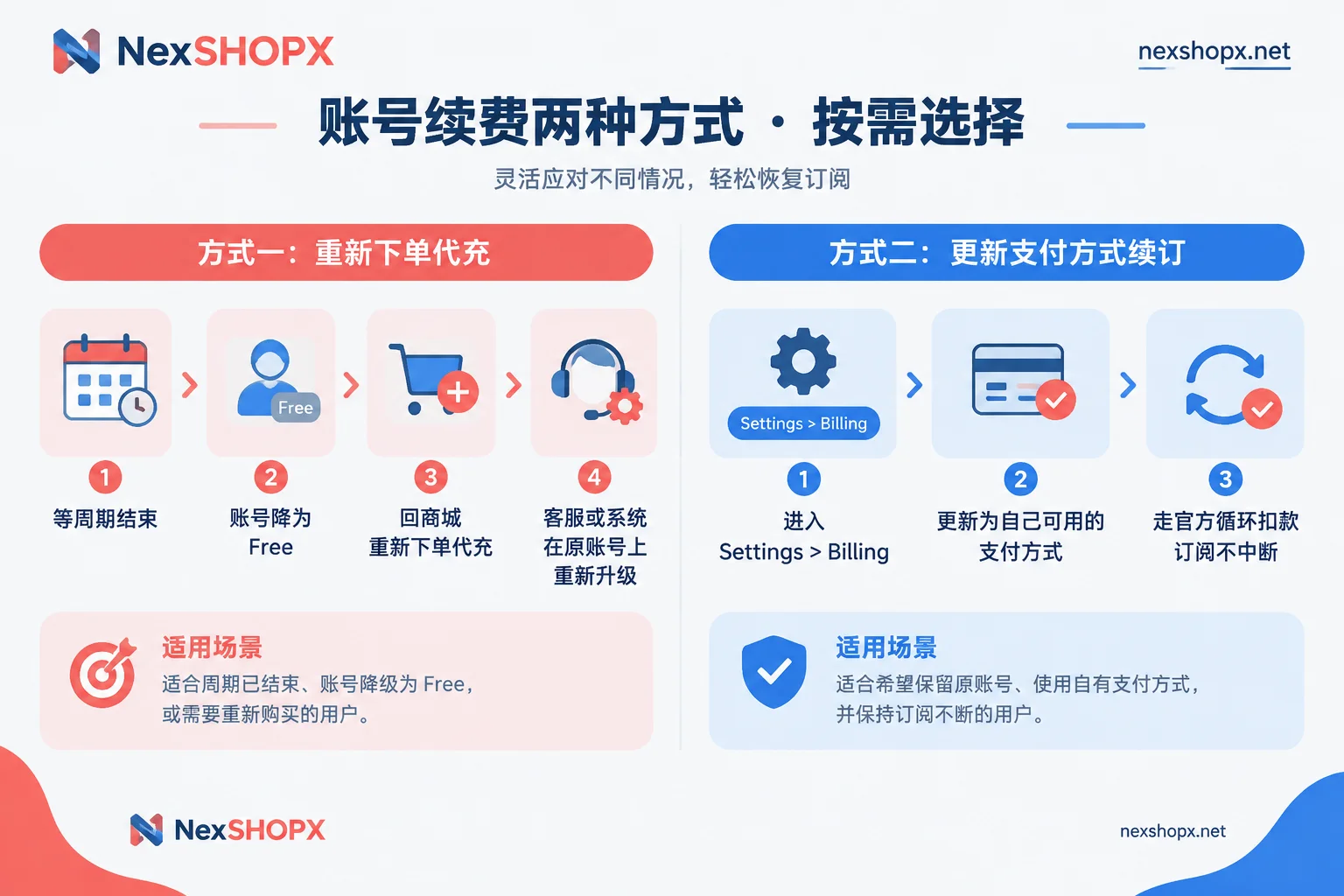
Method 1: Reorder agent top-up. After the current cycle ends and your account drops to Free (or near expiry), go back to the store and place a new agent membership order. The system or customer service will use a new payment channel to re-upgrade your account for another cycle. This is the most common approach for agent purchases, suitable for most people who use it monthly as needed: no need to hold overseas payment methods yourself, each period is independent, and you can stop if you don't want to renew. The downside is a potential small gap, depending on when you order and whether you buy in-stock or pre-order items.
Method 2: Take over on the billing page yourself. Go to Settings > Billing, update your payment card to one you can use long-term, and then it goes through official recurring billing. Suitable for those who already have a stable overseas card, want uninterrupted subscription, and prefer billing under their own name. Once you switch to your own card, renewal is no longer related to the agent—subsequent charges and cancellations are in your hands.
There's also an intermediate case: some agent products use rechargeable cards rather than one-time cards, theoretically capable of continued billing in the background. But this depends on specific product specs and card settings, varying by batch, so you can't assume all agent purchases auto-renew. If you want this path, ask clearly before ordering—don't wait until expiry to find the card invalid.
Check these things before ordering
Most renewal pitfalls aren't about "money" but about unaligned conditions:
- Is this order in-stock or pre-order? In-stock self-service orders ship automatically after purchase; pre-order items require customer service confirmation before delivery, which takes time. This difference matters when you're in a hurry to renew.
- What do you need to do for activation? Agent purchases operate on your account, usually involving login or billing page assistance. The product page will specify what information you need to provide and how to cooperate; follow the instructions, and ask if unclear before ordering.
- Warranty duration and after-sales time limit. These are per the product page and vary by category. Don't apply rules from other sellers or categories.
- How is the cycle calculated? Whether it starts from activation date for one month or extends from the original cycle affects when you should order.
NexSHOPX's AI account and membership agent services fall under this category: self-service ordering in the mall, in-stock items ship automatically, pre-order items delivered after customer service confirmation, supporting Alipay and USDT. For specs and current stock, go directly to the category and product page; once confirmed, place an order in the mall. General rules for warranty, first login, and after-sales are on the terms page; for a specific order, the product page you bought from prevails.
How to schedule your timing reliably
Mark the expiry date and act two or three days in advance. The reason isn't fear of data loss but delivery timing: pre-order items require waiting for customer service, responses are slower on weekends or holidays, and occasionally payment channels are unavailable. Leaving buffer is much more relaxed than remembering on expiry day.
If you've already downgraded, don't rush to fix it—account and content are still there. Whenever you re-activate, Pro benefits return. There's no issue of "can't recover after too long expired."
When issues arise, prepare these before contacting after-sales
For renewal-related tickets, clearly stating these usually resolves it in one go: order number, account identifier you want to activate, current subscription status (a screenshot of Settings' Plan/Billing page is most direct), and the specific error message shown on failure. If it's a payment failure, sending the original error text is far more useful than describing "can't activate"—it directly distinguishes card issues, channel issues, or account status issues.
Also remember a boundary: agent purchase adds membership to your own account; account ownership always remains yours. This is different from buying a ready-made account from someone else—risks and after-sales logic differ. To understand this distinction, see: Is ChatGPT Plus agent purchase activation on your own account? How it differs from buying a ready-made account. For delivery timing uncertainty, What's the difference between in-stock auto-delivery and pre-order items explains in more detail.


Comments(0)