 NexSHOPX-官方新闻
How to Choose Cross-Border E-Commerce Account Resources: Look at Delivery Tier First, Then Platform Category
When choosing cross-border e-commerce account resources, the first criterion is not platform name, but to what level the sovereignty of verification methods is transferred. Amazon Seller Central has fully mandated primary and backup dual-channel two-step verification (2SV), and official customer support cannot waive it. If both primary and backup credentials are lost, the only recovery path is a 1-2 business day account recovery review using government-issued ID. This rigid mechanism turns "delivery form" from a verbal promise into a hard, verifiable criterion. Based on the completeness of sovereignty transfer, cross-border e-commerce account resources can be divided into four tiers: credentials only, credentials + email, primary/backup dual verification transfer, and real-name store accounts.
First Distinguish Two Things: Account Login vs. Account as a Business Entity
"Can log in" only means you have the first key. "Can hold long-term" depends on whether the second-factor credentials and real-name ownership are also in your hands. Many account procurement failures are not due to the credentials themselves, but because the primary/backup verification channels and recovery entry were not transferred simultaneously.
Tier 1: Credentials Only: Why This Is the Lowest Delivery Form
Providing only credentials means the recovery entry and second-factor credentials (such as authenticator apps) remain in the original holder's possession. Once the platform triggers verification, you cannot receive SMS codes via the phone number, nor can you get the authenticator dynamic code, and the account immediately becomes out of control. This delivery form is only suitable for low-value, disposable, short-term uses, such as temporary ad testing or one-off development debugging, not for any scenario requiring long-term data holding.
Tier 2: Credentials + Email: Recovery Entry in Hand, Backup Verification Channel May Not Be
Getting the registration email does solve part of the password recovery path, but if second verification channels like the backup phone number or authenticator app are not transferred and re-bound, the account is still in a semi-controlled state. At this point, you can operate the account normally, but if the platform requires two-step verification and you don't have the corresponding device, you'll be locked out. 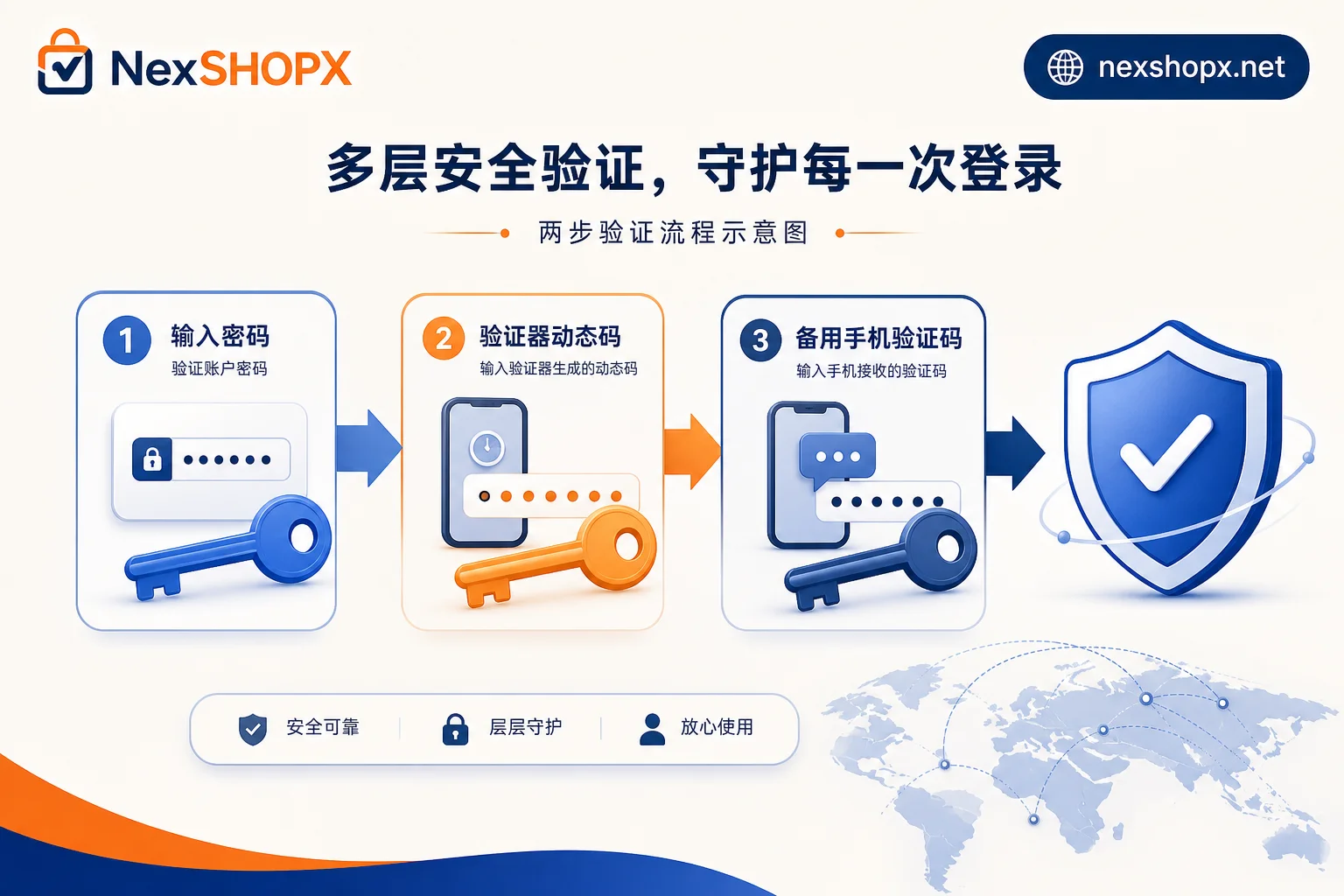
Tier 3: Complete Primary/Backup Dual Verification Transfer: What Amazon's Mandatory Dual Channels Mean
Amazon Seller Central's official rules require (per the two-step verification help page) that when setting up two-step verification initially, you must configure both a primary verification method (such as an Authenticator app) and an independent backup verification method (such as backup phone SMS or voice), and the two cannot be the same device or phone. Therefore, the backup phone number is not optional—Amazon's two-step verification requires you to fill in a backup phone number independent of the authenticator device during initial setup and complete verification.
Thus, a qualified primary/backup dual verification transfer should include at least the following actions:
- Transfer the authenticator app's seed code or complete QR code binding, ensuring the primary verification method is in your hands;
- Change the backup phone number to yours and complete SMS/voice verification;
- Verify that both channels can independently generate or receive verification codes, not just test one.
Only after completing these actions can the account truly pass the "control" hurdle.
Tier 4: Real-Name Registered Store Assets: Whoever Holds the ID Owns the Account
Real-name and KYC layer ownership cannot be resolved through credential transfer. In other words, purchased accounts cannot pass platform real-name verification—if the KYC-bound entity is not you, there is no alternative path. Even if credentials, email, and authenticator are all transferred, the real-name entity remains the original holder or a third-party company. If platform risk control requires supplementary legal representative documents or business licenses, you won't pass without the corresponding documents. This is the highest-risk tier and the least recommended to resolve through procurement.
Recovery Costs After Credential Loss: Government ID Manual Verification and 1-2 Business Day Review
If all primary and backup credentials for two-step verification are lost, the only official recovery path is the account recovery process, which requires uploading a government-issued valid ID with clear name, address, and issuing authority (e.g., ID card, driver's license, or passport). After a 1-2 business day manual review, you can reset; it does not support skipping based on registration email alone. This means recovery costs must be calculated before placing an order, not discovered after the fact that you lack the necessary documents.
Reverse-Engineer the Tier by Use Case: Ad Testing, Customer Service, Development Testing, Store Operations
Different use cases have vastly different requirements for verification sovereignty and real-name ownership. Use the table below to quickly locate the minimum acceptable tier:
| Use Case | Minimum Tier | Key Requirements | Notes |
|---|---|---|---|
| Ad testing, short-term campaigns | Tier 1 (credentials only) | Temporary login; can abandon if lost | Avoid binding payment or sensitive data |
| Customer service, daily operations | Tier 2 (credentials + email) | Email receives verification codes; can change password | Try to also transfer backup verification channels |
| Long-term use, frequent login | Tier 3 (primary/backup dual verification transfer) | Authenticator and backup phone both in your hands | Complete verification before business operations |
| Store operations, long-term asset accumulation | Tier 4 (real-name entity) | Real-name and KYC must be your own | Do not buy; self-register instead |
Pre-Order Checklist and Receiving Day Verification Sequence
Before ordering, confirm at least the following:
- Is the delivery form credentials only, or does it include email? Has the authenticator app been transferred or can it be unbound/re-bound? For more, see Enterprise Overseas Account Procurement.
- Has the backup phone number been changed to yours? Has the initial verification been completed?
- If credentials are lost, can you provide government-issued ID for official recovery?
- Is the use case short-term testing or long-term operations? If the latter, does the real-name entity match?
On the day of receipt, it's recommended to verify in the following order:
- Try logging in with credentials + email and confirm the password can be changed. See Overseas Account Password Change.
- Check two-step verification settings, confirm the authenticator is on your phone and the backup phone is yours;
- Test that both independent channels receive verification codes;
- If real-name is involved, verify that the ID matches the seller central information.
How NexSHOPX Can Help and Its Limits
On NexSHOPX, you can search account resources by category. The mall's self-service ordering front-loads key information like delivery form and verification method ownership before purchase. 24/7 Telegram customer service and limited-time post-sale login support cover the initial login phase. It should be noted that real-name entity, KYC, and platform operating qualification thresholds are beyond the capabilities of any third-party account platform and must be handled by the business side with a compliant entity. For more details, refer to Overseas Account Two-Factor Verification and Overseas Account Delivery Process, to understand the practical risks of different delivery forms.
Compliance Reminder
Please comply with target platform terms, local laws, and real-name/KYC requirements. All Amazon policy statements in this article are based on official Help page information (Two-Step Verification Help Page and do not constitute a promise to bypass platform audits.
FAQ
How to set up two-step verification for Amazon seller account?
Enable two-step verification in the seller account's security settings, follow the prompts to configure both an Authenticator app and an independent backup phone, ensuring they are not the same device; after setup, test that both primary and backup channels receive verification codes.
Is the backup phone number required for Amazon two-step verification?
Yes. Official rules require that the backup phone and primary authenticator cannot be the same device or number. Its purpose is to act as a secondary escape channel when the primary authenticator is lost, so you must fill in your own number and complete verification.
What to do if your Amazon authenticator is lost?
If you also lose the backup phone, the only option is the official account recovery process: upload a government-issued valid ID and wait for a 1-2 business day review. So on the day of transfer, confirm the backup phone is in your hands, and do not concentrate both primary and backup channels on the same device.
Can purchased cross-border e-commerce accounts pass real-name verification?
No. Real-name and KYC are bound to the original holder's ID. Even if you change all passwords and verification methods, when the platform initiates qualification review, you cannot pass without the corresponding ID. Therefore, store accounts are not recommended for purchase; self-register instead.
Does seller account recovery require submitting an ID?
Yes. When all two-step verification credentials are lost, the official account recovery process requires submitting a government-issued valid ID (such as ID card, driver's license, or passport), and the name and address on the ID must match the account information. The review takes 1-2 business days.


Comments(0)