 NexSHOPX-官方新闻
For developers and cross-border teams writing code, running automation scripts, and processing long documents, Anthropic's Claude (especially when combined with Claude Code and Projects workflows) is almost a necessity. But many people encounter obstacles when trying to register or top up on their own: it's hard to get verification codes with overseas phone numbers, Stripe payment channels reject virtual cards on a large scale, and even if the top-up succeeds, the account may be suspended due to risk controls triggered by shared rides or abnormal environments.
Under the tightened risk scoring and KYC verification by Anthropic in 2026, how can you choose between Claude account purchase and membership upgrade to balance quota needs and account stability? This guide first helps you calculate the actual usage costs of Pro, Max, and Team, then provides reliable configuration and takeover solutions based on business scenarios.
1. Why is it increasingly risky to register and top up on your own?
In the past, many people were used to finding a virtual credit card and using a public node to register for Claude, but now this route has a very high failure rate. The core issues are concentrated in three areas:
- Registration and KYC interception: Low-quality or previously abused email suffixes, and verification numbers from high-risk regions, are likely to trigger identity verification (KYC) during initial registration or when asking high-frequency questions.
- Intensified Stripe payment risk controls: Mainstream virtual card segments are widely flagged. When binding a card for payment, either the payment is directly declined, or after a successful charge, the account is banned within a 24-hour observation period due to card header reputation issues.
- Shared accounts and pooled accounts get banned together: To split monthly fees, people buy shared accounts. Once the backend detects multiple IPs jumping around and multiple device fingerprints online simultaneously, it will directly determine account resale or sharing violations, leading to the entire account being banned.
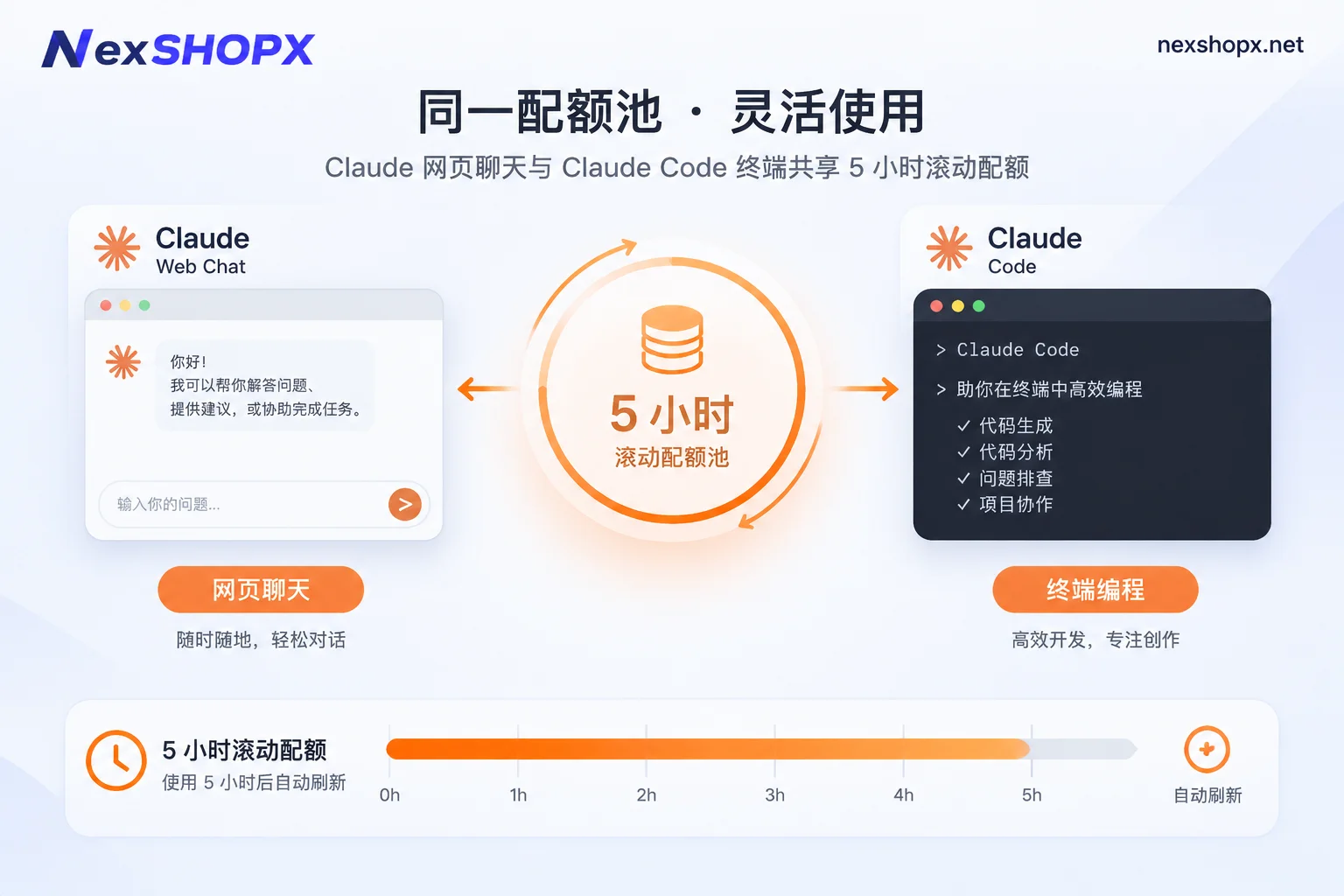
In addition, many users report "hitting the limit after a short use" and mistakenly think there's a problem with the account. Actually, Claude's conversation quota is calculated based on a rolling window of every 5 hours plus a weekly cap, and web conversations share the same quota pool with Claude Code in the terminal. If you choose the wrong subscription tier, high-intensity coding for half a day will exhaust your budget.
2. Pro, Max, or Team? First, clarify specifications and quotas
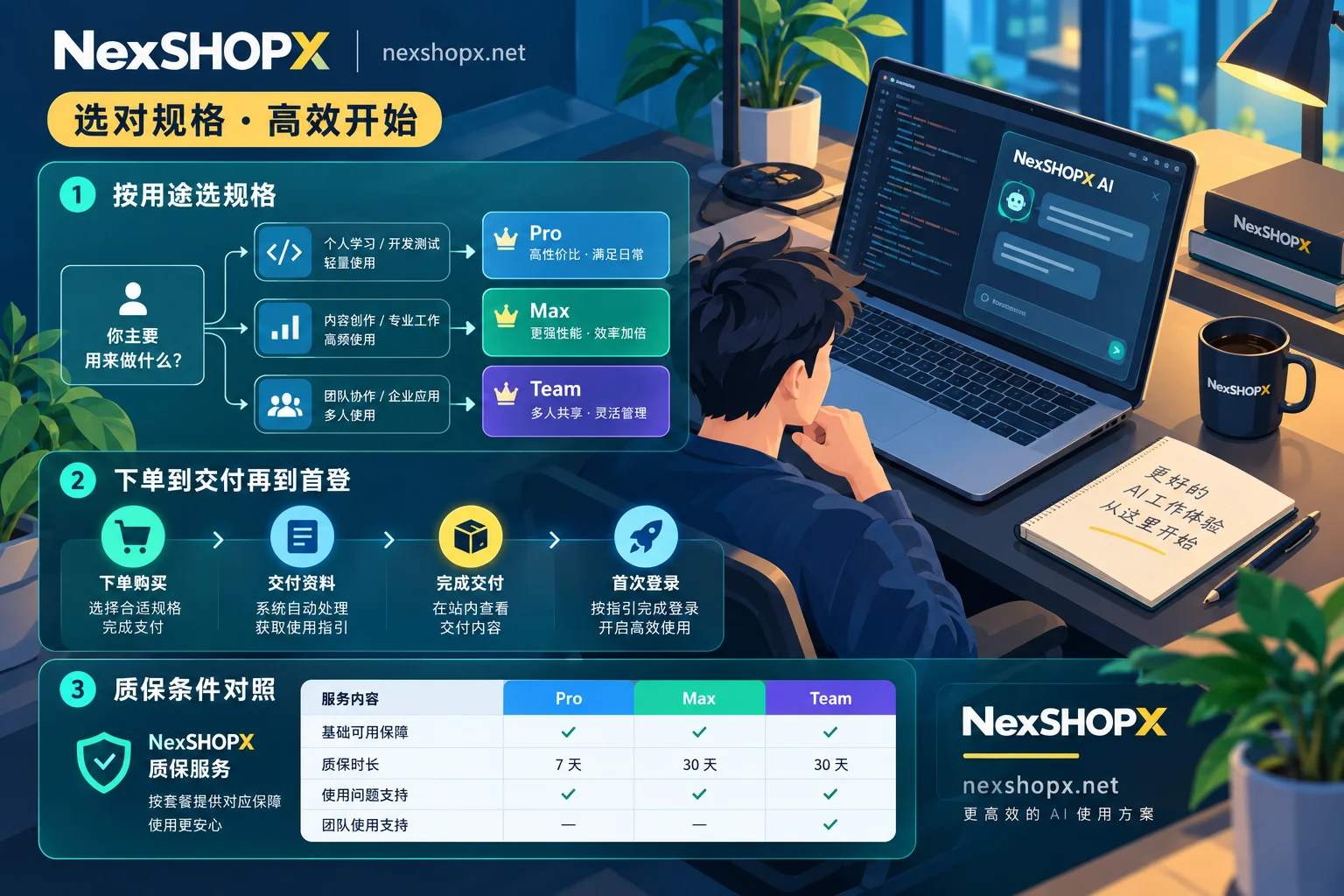
Before purchasing, match your usage intensity and team size. The differences between the three main paid tiers are very clear:
| Subscription Tier | Core Positioning | Usage and Feature Highlights | Suitable For |
|---|---|---|---|
| Claude Pro | Personal daily mainstay | About 5x the usage of the free version; unlocks Claude Code, Projects, and multi-model switching | Independent developers, daily copywriting and data analysis personnel |
| Claude Max | Single-user heavy productivity | Available in 5x and 20x (about 5x or 20x the usage of Pro); higher output limits and priority access during peak hours | Geeks who use Claude Code for programming all day and run multi-agent tasks |
| Claude Team | Team collaboration and multi-seat | Supports multi-seat management, shared Workspace; base quota per seat is higher than Pro; by default, business data is not used for training | Development teams of 2 or more, cross-border operations and content teams |
In short: For light to moderate personal use, choose Pro; for all-day high-intensity coding by one person, choose Max; for two or more people needing centralized management or isolated workspaces, choose Team.
3. Buy an exclusive ready-made account or get a membership upgrade? Comparison of two paths
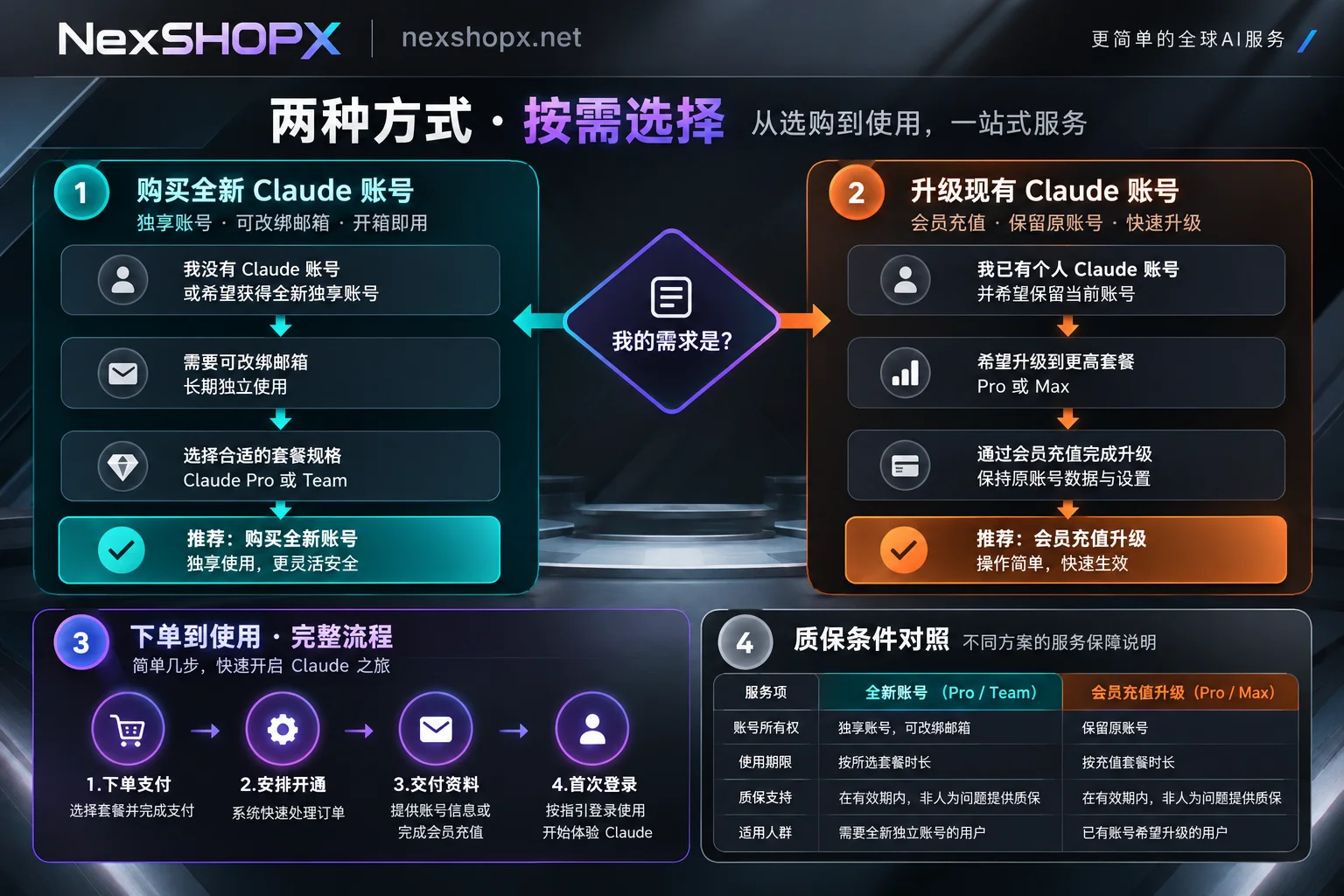
After figuring out which tier you need, the next step is to choose the delivery method. For users with different starting points, NexSHOPX offers two options: "brand new exclusive ready-made account" and "membership upgrade for your own account" (specific inventory, prices for each specification, and warranty periods are subject to the official product page):
1. No account yet, or need bulk configuration: choose a brand new exclusive ready-made account
If you don't have an existing Claude account, or your previous account has been restricted due to environmental issues, directly purchasing a Claude account is the fastest way to save the hassle of verification codes and card binding.
- Specification coverage: Provides Pro personal accounts and Team multi-seat accounts.
- Brand new and exclusive: Unlike shared accounts on the market, what is delivered is a brand new exclusive ready-made account, avoiding being implicated by others' violations.
- Credential ownership and rebinding: After delivery, full login credentials belong to the buyer. You can change the bound email according to the product page instructions, completely taking control of the account.
Recommendation: If you plan to rebind to your own independent email, it is advisable to prepare a clean overseas email in advance, such as purchasing a brand new Gmail account or overseas email accounts like Proton or Outlook from the site, avoiding temporary emails that easily trigger risk controls.
2. Already have a stable old account, or need to boost Max quota: choose membership upgrade
If you already have a stable Claude account with a large amount of Projects knowledge base, historical conversations, and personal preference settings, and don't want to switch accounts, then choosing Claude membership upgrade is more suitable.
- Keep original account data: Directly top up and upgrade your own Claude account to Pro, or self-activate with customer service assistance, keeping all history and workflows intact.
- Support for Max upgrade: For heavy Claude Code users stuck by the 5-hour window limit, customer service can assist in upgrading to the Max tier, unlocking larger quotas.
- Flexible monthly renewal: Monthly payment mechanism, no need to maintain an overseas credit card yourself; just contact customer service to renew before expiry.
(If your team is also doing multi-model cross-validation, you can also pair with ChatGPT Plus / Pro top-up. For details on avoiding subscription drops on the OpenAI side, refer to our previous article "How to Avoid Subscription Drops and Bans with ChatGPT Plus Top-up? Guide to Personal Account Top-up and Ready-Made Account Selection under 2026 Payment Risk Controls".)
4. How to take over the account after receiving it? First login and warranty pitfall checklist
Since Anthropic's risk controls continuously evaluate during login and usage, whether you buy a ready-made account or top up, the norms during handover and use directly determine the account's lifespan:
- Complete first login within the specified time: After receiving the account through self-service ordering on the mall (supports Alipay and USDT settlement; in-stock items are automatically delivered after payment and displayed on the order inquiry page; manual processing is delivered after customer service confirmation), be sure to complete the first login verification within the time limit specified on the product page.
- Maintain a fixed, clean login environment: For first login and subsequent daily use, maintain a clean network environment in a fixed region. Avoid frequently switching country nodes, and do not immediately use scripts to initiate high-frequency concurrent requests right after taking over. (If you encounter verification prompts during first login, do not blindly retry repeatedly. You can refer to "Is it normal to be asked for re-verification when logging in from a new device? Reasons, required information, and first-login precautions".)
- Modify information and rebind according to instructions: After receiving the exclusive ready-made account, whether to change the password immediately and how to change the bound email should strictly follow the product page instructions. We have detailed the order of permission recovery in "Can the seller still log in after I buy the account? Check three channels and recover in order". A smooth transition can greatly reduce abnormal pop-ups.
- Pay attention to warranty boundaries and strictly prohibit unauthorized sharing: Please refer to the Terms of Service and Warranty Rules in advance. Failure to log in on time, violating the product page's information modification restrictions, distributing the exclusive personal account to multiple people causing abnormalities, or using it for illegal purposes that trigger the platform's anti-cheat mechanism are not covered by the warranty.
If it's a multi-person team collaboration, rather than cramming several people into one Pro personal account and worrying, it's better to directly purchase a Claude Team multi-seat ready-made account, or separately configure Claude Max top-up for core developers. Teams placing bulk orders or needing to confirm specific specifications in advance can also directly contact Telegram customer service to discuss pricing and delivery arrangements.



Comments(0)