 NexSHOPX-官方新闻
Clarify Three Things Before Buying
Most problems in purchasing virtual accounts or membership services stem from information asymmetry in three areas: choosing the wrong account type, incomplete delivery credentials, and unclear first-login and warranty rules.
If you're preparing accounts for cross-border e-commerce stores, social media management, or ad campaigns, or activating AI tools and streaming memberships, check before ordering: Can the account's registration age and history tolerate your login environment changes? Does the delivery include a backup email and 2FA key? Is there a time limit for the first login? Can you change passwords during the warranty period?
The following covers each step in decision order.
Match the Account Type to Your Use Case
Different use cases require different levels of account durability and risk tolerance.
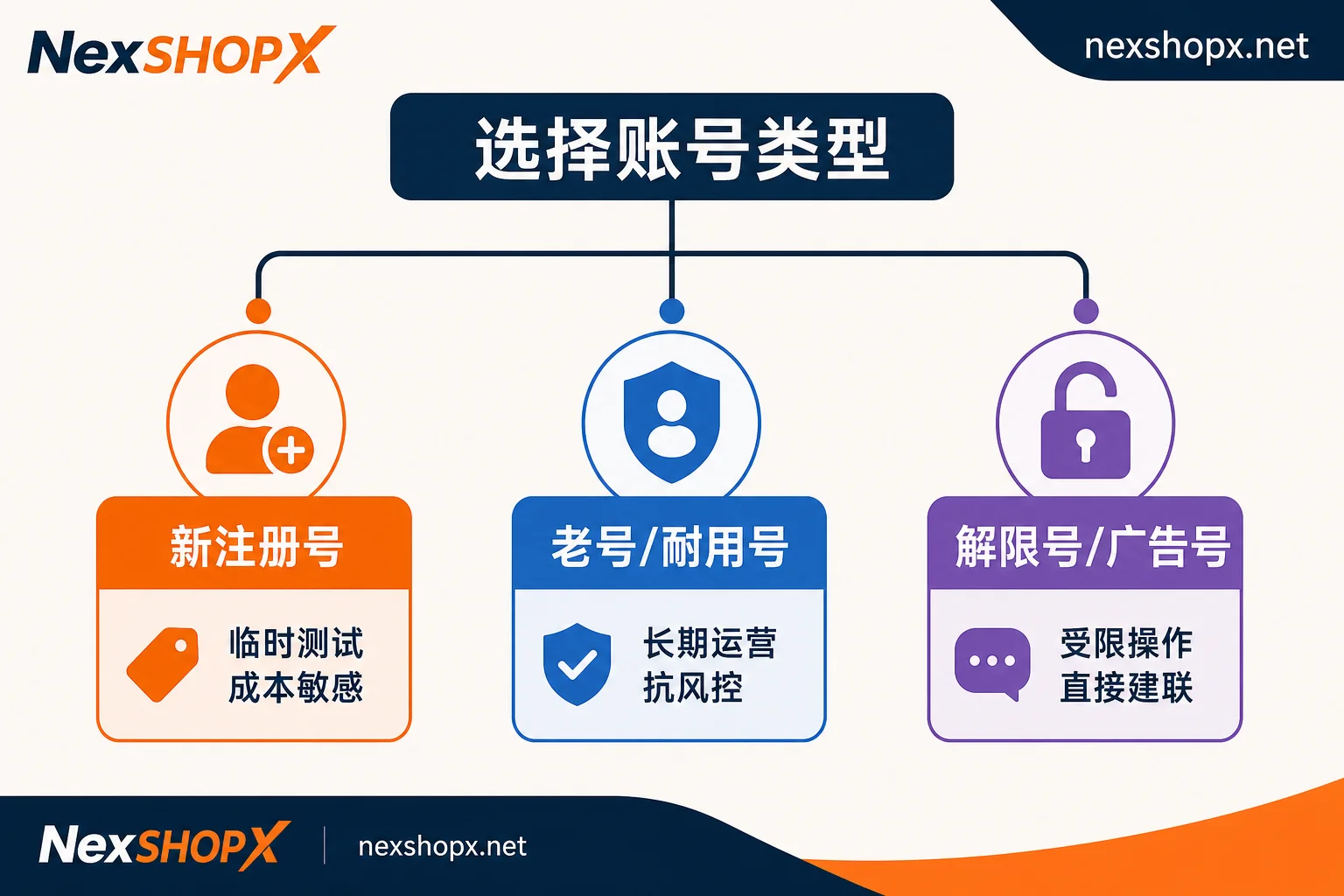
Newly registered accounts suit lightweight, temporary tests or cost-sensitive missions, such as short-term API validation or quickly creating a few auxiliary accounts for one-off events. These accounts have no history, so they tolerate device/IP changes poorly and trigger stricter secondary verification on unusual logins.
Aged or durable accounts have existed longer and carry historical activity, having passed the platform's initial observation window. They tolerate location and environment changes better, making them suitable for long-term, stable operations like multi-store e-commerce management or primary social media matrix accounts.
Restricted-lift and ad accounts are dedicated to restricted marketing operations. A restricted-lift account was previously banned or feature-limited and later reinstated through appeal or technical handling, for direct outreach or restricted tasks; ad accounts often come with approved ad accounts ready for campaigns.
NexSHOPX's category groups follow this logic: email and platform accounts, social media accounts (including aged and restricted-lift), AI accounts and membership activation, and memberships and streaming subscriptions. Determine if your business needs risk resistance, then browse the category page for specs.
Verify Delivery Credentials Are Complete
Account delivery typically includes a complete credential chain: base credentials are username, password, and backup email; advanced or social accounts may include 2FA/TOTP keys or session cookies.
Backup Email Must Be Accessible
Platforms like Google, Meta (Facebook), and X often ask for secondary verification when they detect unrecognized devices or unusual networks. They'll send a code to a backup email or phone, or require a code from an authenticator app.
If the account includes a backup email, you must be able to log in to that email or ensure the no-password forwarding works. Otherwise, you'll hit an acceptance dead-end: you have the main password but cannot get the verification email during first login.
2FA/TOTP Keys for Offline Verification
Many platforms support third-party authenticator apps (e.g., Google Authenticator, Microsoft Authenticator) that generate 6-digit codes every 30 seconds based on the Time-based One-Time Password (TOTP) algorithm.
If the account delivers a TOTP Secret Key (typically a Base32-encoded string), you'll need to enter it into your authenticator and use the generated code for the first login. This bypasses SMS or email and suits batch management or cross-region logins.
Session Cookie Validity and Environment Binding
Some advanced accounts include session cookies or tokens to skip the password step on first login. However, cookies often bind to device fingerprints, IP addresses, or browser environments, and may expire upon changing those. If you plan to use cookies, verify that the provider's environment parameters (like User-Agent, IP geolocation) match yours.
For handling existing sessions and passkeys after the first login, see What to Do After the First Login of an Overseas Account.
Understand Platform-Specific Verification Mechanisms
Each platform differs slightly; knowing this can prevent hiccups.
Google accounts prefer 2-Step Verification (2SV). If enabled, you'll need a backup code, authenticator code, or backup email code. Google remembers trusted devices, but re-verification is needed after a device switch or clearing browser cache.
Meta (Facebook) and Instagram support two-factor authentication (2FA), via SMS or authenticator. If the phone number is bound but you can't receive SMS, rely on TOTP.
X (formerly Twitter) supports authenticator and SMS codes, but is sensitive to IP changes. Anomalous logins may trigger CAPTCHA or temporary locks, unlocked via email codes.
If you have the correct password but can't log in, debug whether it's password expiry, account lock, or a dead verification channel; see Password Is Correct but Login Fails or Login Requires Extra Verification but No Code Arrives.
Respect First-Login Deadlines and Warranty Rules
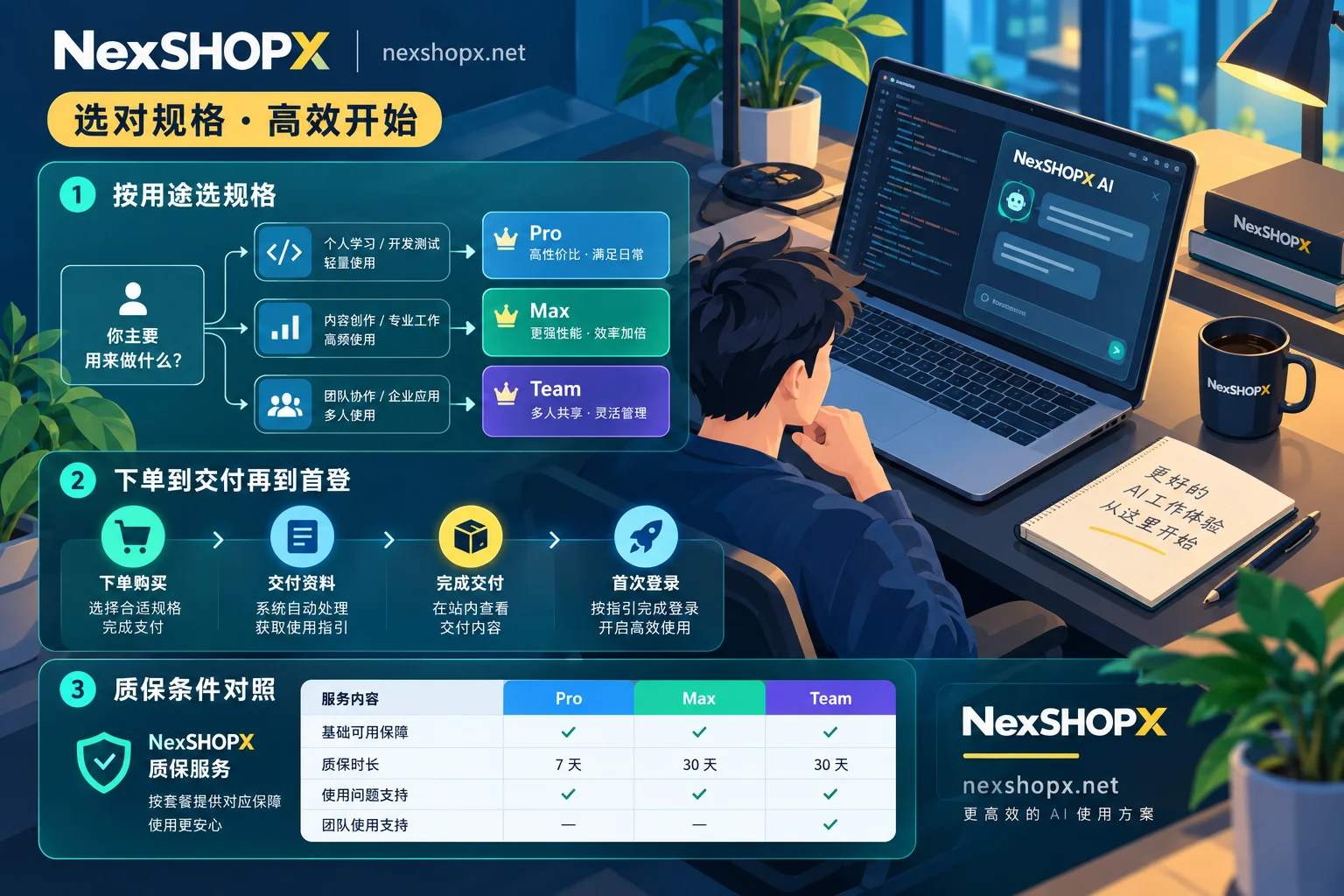
NexSHOPX Mall auto-delivers in-stock accounts; pre-orders are delivered after customer service confirmation. You must complete acceptance within the first-login window noted on the product page.
First-Login Window Is Your Acceptance Period
The window is typically 24–72 hours after purchase, as per the page. Missing it means automatic acceptance, and later issues may void after-sales.
During first login, verify the full credential chain: log in with the main account and password, pass backup email or 2FA, and access the dashboard. If the backup email fails, the 2FA key is wrong, or the account is disabled, contact support within the window.
Never Change Security Info During Warranty
If a non-human ban occurs (e.g., platform misjudgment), replacement is offered. But most categories specify: do not change passwords, backup email, or security settings during the warranty period.
This isn't arbitrary; risk systems monitor how often security info changes. Changing password and backup email right after purchase flags the account as 'stolen' and triggers locks or identity verification with the original owner. For session inheritance after a password change, see Can the Original Owner Still Log In After a Password Change?.
If you must update details for internal compliance, wait until after warranty or check if the product page allows limited changes.
Exact warranty durations, first-login limits, and after-sales terms follow the Service Terms and Warranty Rules.
Special Logic for Membership Activation and Renewals
AI subscriptions (like ChatGPT Plus, Claude Pro) and streaming memberships (like Netflix, Spotify) typically use an activation model rather than delivering a finished account.
Activation happens on your own account. You provide login credentials or follow the official top-up channel; the provider uses verification codes or payment binding to add membership time. You retain full control, avoiding data migration or ownership questions.
Subscription periods and renewals follow product-page terms. Some memberships auto-renew; others require manual renewal. For activation services, see the AI Accounts & Membership Activation category for details.
Define Responsibility Boundaries: Account Purchase Only Covers Credential Validity
After buying, you might also need browser fingerprint isolation for bulk logins, temp numbers for registration, or email aliases for identity isolation.
To be clear: NexSHOPX is only responsible for the validity of account credentials and memberships. Fingerprint isolation is handled by anti-detect browsers, temp or long-term numbers by SMS platforms, and email aliases by privacy tools.
If risk control triggers after first login due to environment issues (e.g., fingerprint recognition, flagged IP), that's not an account defect; you'll need to optimize your login environment. For how device changes trigger verification, see Re-verification When Switching Computers.
Final Pre-Order Checklist
Before heading to the NexSHOPX Mall, double-check three things:
- Account type matches business scenario: new for temp tests, aged for long-term ops, restricted-lift for restricted tasks.
- Credentials are complete: password, backup email, 2FA key or cookie—all present.
- Know the first-login deadline and warranty rules: finish acceptance in time; don't change security settings under warranty.
If you need specific category specs and warranty info, check the category pages: Email & Platform Accounts, Social Media Accounts, AI Accounts & Membership Activation. For after-sales boundaries, see What Does Account Purchase After-Sales Cover?.


Comments(0)