 NexSHOPX-官方新闻
To judge whether an account trading platform is safe, don't start by thinking "does it have a risk of running away?" — you can't verify that before placing an order. What you can verify are three things: whether what it delivers to you is complete, how the goods reach you, and where responsibility is written when problems arise. If you can check these three points clearly, most pitfalls like "can't log in after purchase, account gets banned upon login, after-sales denial" will be avoided.
Below is a walkthrough following your actual purchasing order.
First Check: Does it deliver a string of credentials or a controllable set of proofs?
The root of many disputes is not that the account itself has problems, but that the delivery content is too thin. An account that only gives "email + password" is a shell that can be blocked by verification at any time and can be recovered by the original holder at any moment.
Before ordering, confirm on the product page what items are included in the delivery:
- Auxiliary email / recovery email: This is the most commonly used verification channel for first login from a different location, and the key to judging account ownership. Without it, once the platform initiates an identity challenge, you have no available means to respond.
- Two-factor authentication (2FA) key or backup codes: Services like Google will enforce two-factor authentication when logging in from a new device or region, and may require a verification code, backup code, or auxiliary email confirmation. Only with a 2FA key (a seed string that can be imported into an authenticator) and a set of backup codes can you truly say "the account is in my hands."
- Registration-related information: Registration time, registration region, what has been bound — these determine the account's initial trust level on the target platform and also determine what kind of network environment you should use for first login.
A practical reverse judgment: if the product page says nothing about these, or customer service vaguely says "just log in and bind it yourself," then this batch of accounts likely does not have complete deliverable credentials, and the subsequent warranty has no support.
Accounts with 2FA keys, auxiliary emails, and backup codes have significantly better resistance to cross-region risk control and recovery prevention than bare accounts with only credentials; similarly, for social media accounts, old accounts with registration duration and historical activity have higher initial trust than new accounts registered the same day. This premium is for "being able to continue using it," not for "sounding more advanced."

Second Check: Should such accounts be handed over as ready-made accounts?
This step is more important than choosing specifications, because if you choose the wrong form, nothing later can make up for it.
For social media and advertising assets, prioritize official authorization over full account takeover. Meta's terms of service themselves do not allow private transfer of personal account ownership, and sudden changes in login location and immediately changing the password upon receipt are the most typical risk-control trigger combinations. The truly stable business practice is to allocate assets at the Business Manager / Business Portfolio level: ad accounts are transferred between portfolios and granted permissions as partners, so personnel changes do not affect asset ownership. What you take over is advertising permissions and data assets, not someone else's personal identity.
For AI subscriptions and streaming memberships, prioritize "activation on your own account." Ready-made membership accounts mean you have to take over a stranger's identity, and cross-region login, payment method ownership, and renewal entity may all cause problems; whereas activation/recharge completes the official channel opening and renewal on your own long-term account, so account ownership always remains yours, and subsequent device or network changes won't be blocked because "it's not the original person." Paying a little more eliminates an entire category of disputes.
Suitable for delivery as ready-made accounts are mainly those categories that are inherently used for business isolation and ready to use upon registration: email and platform accounts, accounts used for regional app downloads, and social media new or old accounts used in batches for specific purposes.
The delivery method itself is also a signal. In-stock self-service ordering with automatic system delivery indicates that inventory and credentials are prepared in advance; pre-order products delivered after confirmation by customer service are normal, but you should ask clearly about the estimated delivery time and content before ordering. Both modes are reasonable; what is scary is "pay first, then see if there is any."
Third Check: First login time limit and warranty period — where is responsibility drawn?
A legitimate platform's warranty rules usually look like this: The product page states the first login time limit, and you must complete the first login verification within this limit; if the account is disabled or login is abnormal during the warranty period, you can apply for a replacement according to the rules; problems discovered after the first login time limit are generally not covered by compensation.
Whether it is 12 hours, 24 hours, or longer varies by category; the product page you order from shall prevail, and don't apply experience from other categories. This rule is not meant to make things difficult for buyers: the longer an account stays in inventory and the longer it is idle, the more likely it is to be judged abnormal by the target platform; time-limited first login is both inspection and getting the account into normal use as soon as possible.
So the sequence after receiving the account should be:
- First complete login in a stable, clean network environment, and don't repeatedly switch exit nodes during the login process.
- After successful login, first verify the delivery content: whether the auxiliary email can receive mail, whether 2FA can generate codes normally, and whether backup codes are valid. Only this step counts as "inspection complete."
- If any abnormality is found, immediately take screenshots and contact after-sales, raising it within the first login time limit is far more useful than explaining afterwards.
Three things not to rush to do during the warranty period
This is the most common misstep for beginners: the first thing after logging in is to change the password, rebind the email, change the avatar and profile, thinking this is the only way to be "safe." The result is damage on both ends.
- Technically: Just logged in from a new environment, the device fingerprint and login habits are not yet trusted by the platform. Changing security information immediately at this point is easily judged as account takeover after theft, directly triggering secondary verification or locking. Take Google as an example: a newly bound verification phone number has a waiting period before it is fully trusted; during this period, using it to complete verification or recovery may not work.
- Rule-wise: Many categories' warranty terms explicitly state that during the warranty period, changing passwords, rebinding emails, or modifying personal information is prohibited. Once changed without authorization, the platform cannot confirm whether the account status was caused by you, and the warranty becomes invalid.
The correct approach is to first use it normally for a period as required by the product page, let the login environment stabilize, and then change security information item by item after the warranty period or according to the pace guided by customer service. For a more detailed arrangement of actions after first login, you can refer to What to do first after logging into an overseas account for the first time and Account purchase precautions checklist.
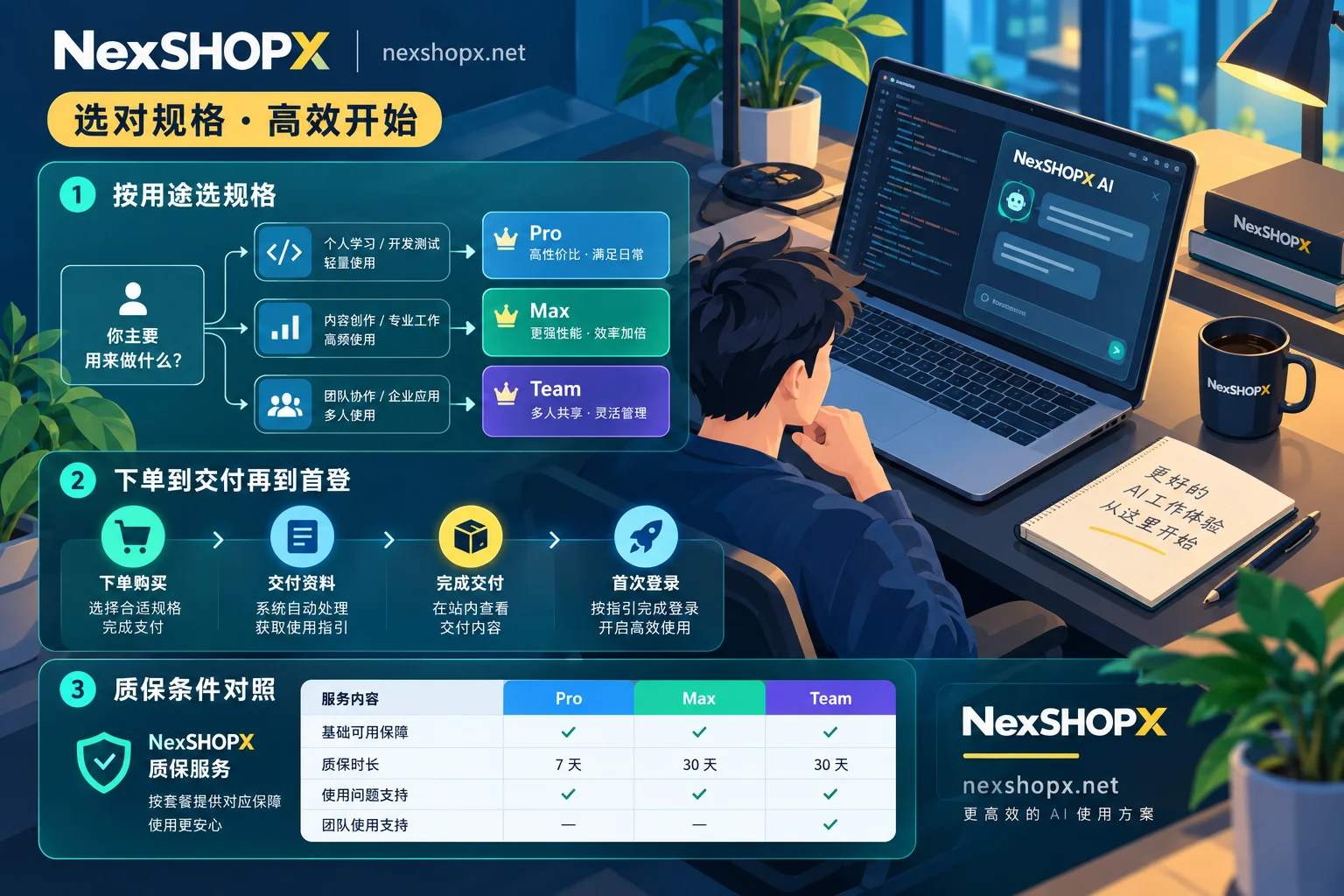
Choose specifications by use, not by price
Once you clarify the use, the specifications are basically set:
- Only for email registration, receiving verification, and regional app downloads: New accounts are enough; focus on whether credentials are complete and whether they can receive mail stably.
- Need to post content, be recommended by the platform, and participate in interactions: Choose old accounts; the initial trust brought by registration duration and historical activity cannot be made up by new accounts in the short term.
- Previously restricted and need to restore use: Unrestricted accounts are products for specific scenarios. Ask clearly about the restriction type and recovery scope before ordering; don't assume "unrestricted = can do anything."
- AI tools, streaming memberships: Prioritize activation/recharge on your own account.
NexSHOPX's categories are divided exactly into these four groups: email and platform accounts, social media accounts (including old accounts and unrestricted accounts), AI accounts and membership activation, and membership and streaming subscriptions. During the selection stage, you can directly check the All Categories page for comparison. Specific specifications, first login time limits, and warranty durations are written on each product page. In-stock items are self-service ordered with automatic delivery in the Shop; pre-order items are delivered after confirmation by customer service. Prices and inventory are subject to the real-time page in the shop.
When problems arise, what does after-sales require you to provide?
Knowing in advance what materials to submit can save back-and-forth arguing:
- Order proof: Order number, order time, payment transaction record.
- First login record: The time of first login, screenshots at that time, especially the successful login page or error page.
- Abnormality evidence: Complete screenshot of the prompt text (don't just screenshot half), error codes, and at which step you were blocked (when entering password, during two-factor authentication, or functional restriction after login).
- No-modification declaration: Proof that you did not change the password and binding information, which directly relates to whether the warranty is valid.
The boundaries of responsibility are roughly as follows: account invalid immediately upon delivery, credential mismatch, non-human-caused disablement during the warranty period are the seller's responsibility; feedback after the first login time limit, unauthorized modification of information, and bans caused by use for violating content are usually not covered by compensation. This line is written differently in each company's terms. Spending two minutes reading the Terms of Service and Warranty Rules before ordering is more useful than reading after an incident. For more details on the division of responsibility, see What does account purchase after-sales service include.
Also check the payment method
Alipay and USDT are two common settlement methods, but the handling paths after a dispute differ: on-chain transfers are irreversible, and recovery depends on the merchant's own after-sales process; third-party payments add a layer of platform records. This does not affect which one you choose, but it affects how much you rely on the platform's after-sales terms — so it is even more important to understand the warranty duration, first login time limit, and after-sales window before checkout, rather than asking after payment.
Compress this process into one sentence: Before ordering, check delivery content and warranty terms; after receiving, log in within the time limit and verify credentials on the spot; during the warranty period, don't touch security information; when problems arise, bring complete screenshots and order number to after-sales. Whether a platform is safe ultimately comes down to whether it writes the rules clearly in these steps.


Comments(0)