 NexSHOPX-官方新闻
Whether it's cross-border teams installing overseas social media and tool clients, or individual users downloading region-exclusive games and subscribing to AI and streaming services, having a stable foreign Apple account is essential. However, in practice, more and more people find that registering on their own is not only time-consuming but also frequently gets stuck at the final step.
If you are considering directly purchasing an overseas Apple ID, besides worrying about whether the account can log in smoothly, you need to first understand: What are the differences between accounts from different countries/regions? Why do some accounts fail to make payments even after topping up gift cards? How can you log in with a ready-made account without triggering security locks?
Why is self-registering an overseas Apple ID increasingly problematic?
In Apple's official support community and various tech forums, requests for help with foreign accounts mainly concentrate in two stages:
- Registration stage shows 'Cannot create your account at this time'
Apple is very strict about detecting the registration environment. If the network environment is judged as a shared data center IP, the browser has traces of historical accounts, or the email or phone number used for registration has been associated with other restricted accounts, the system will directly block the creation request. - Consumption stage shows 'Your Purchase Could Not Be Completed'
Even if registration is finally successful, many people hit Apple's payment risk control wall directly when topping up a new account with gift cards and preparing to subscribe to memberships in apps (such as upgrading to ChatGPT Plus or game top-ups). This results in the balance being stuck in the account and unusable, and even risks account suspension when contacting customer service for unblocking.
Because the time cost of self-registration and account nurturing is too high, directly purchasing ready-made accounts with pre-configured regional information has become the efficiency-first choice for most going-global teams and experienced players.
How to choose an overseas Apple ID purchase? First look at 'region', then 'new vs. aged'
A previous article on this site, 'Just to Download Region-Limited Apps, Which Specification of Apple Account Should You Buy', introduced the basic selection method for pure download scenarios. But if your business involves multilingual operations or in-app payments, you need to precisely match from two dimensions: 'region' and 'account seniority'.
1. How to choose among popular regions like US, Japan, Hong Kong, and Turkey?
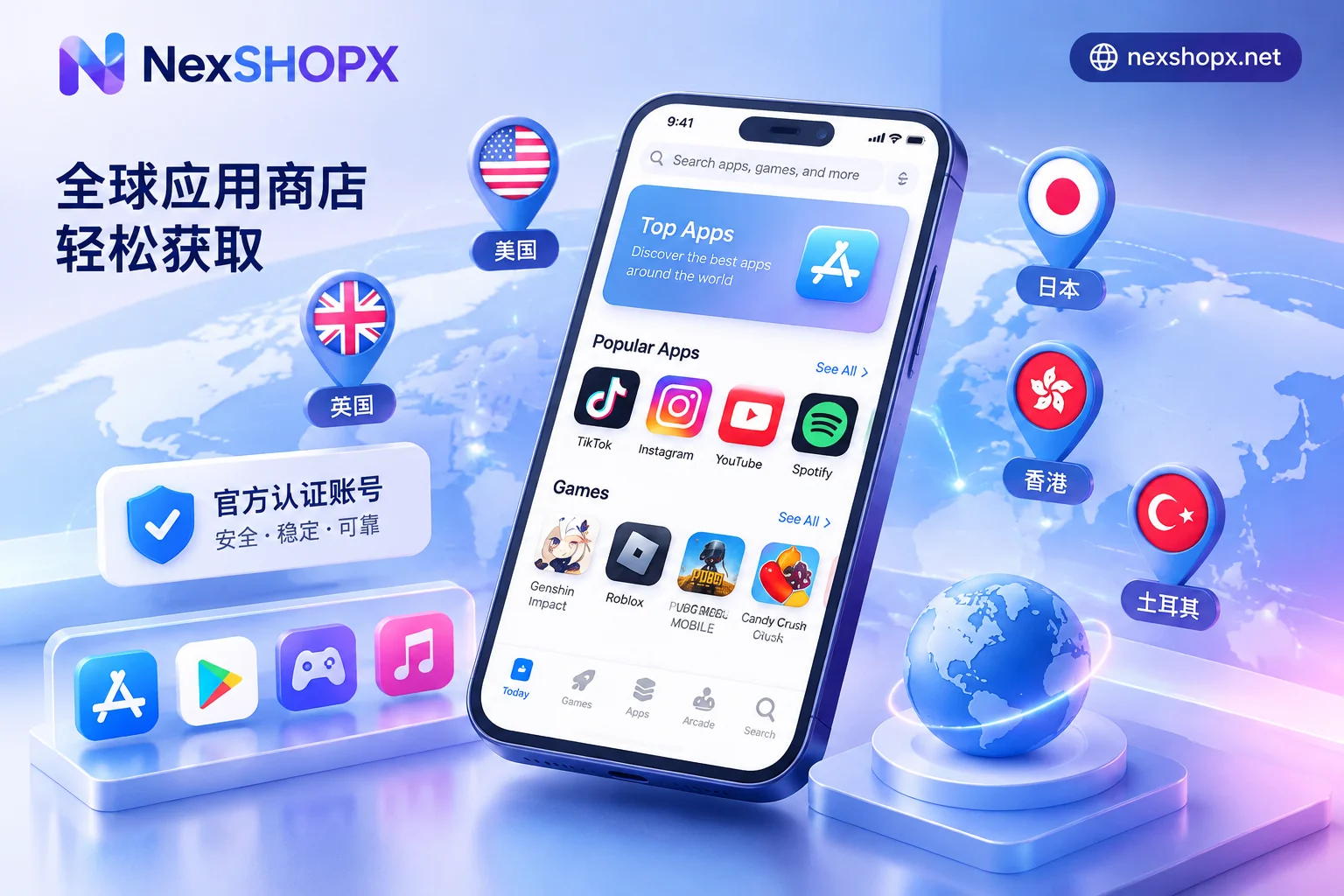
In the NexSHOPX Apple ID section, ready-made accounts cover multiple mainstream regions including the US, Japan, Hong Kong, Taiwan, Singapore, Turkey, UK, and South Korea. Different regions have different ecosystem focuses:
- US (United States): The 'primary region' with the most complete app ecosystem. Whether downloading cutting-edge AI clients like ChatGPT and Claude, or installing overseas social media like TikTok, Instagram, and X (Twitter), the US region has almost no blind spots.
- Japan / South Korea: A gathering place for anime mobile games, local manga apps, and region-limited tools for Japan and South Korea. Users doing social media operations or game reviews in these markets usually prepare dedicated accounts.
- Hong Kong / Taiwan / Singapore: Native support for Traditional Chinese or Chinese-friendly interfaces, suitable for teams accustomed to Chinese search or with business focused on the Asia-Pacific Chinese-speaking market.
- Turkey: Often used to subscribe to digital services in specific regions. However, note that in recent years, platforms have increasingly tightened payment verification for low-price regions. It is advisable to choose rationally based on actual business needs.
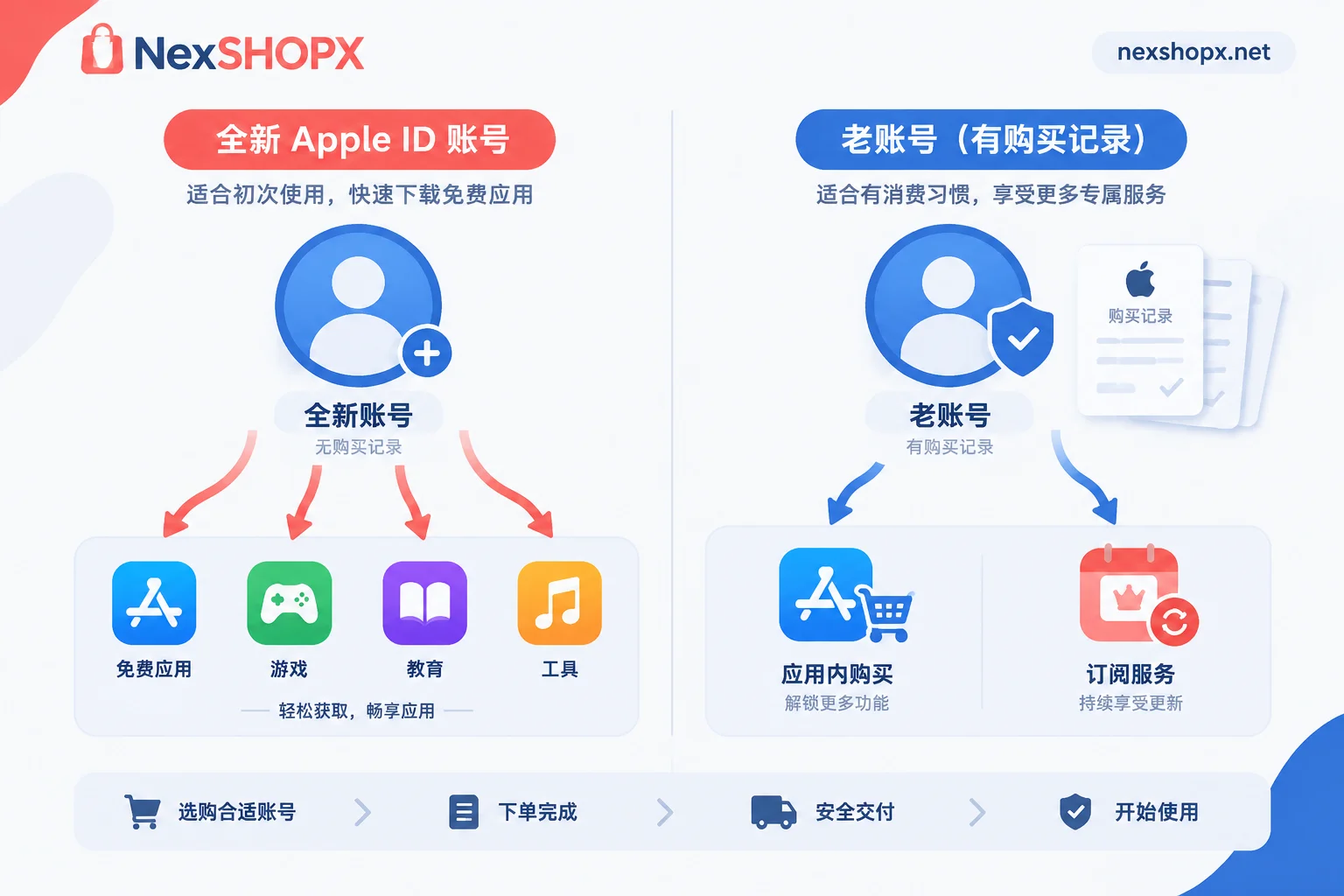
2. Blank new account vs. aged account with purchase records: What's the difference?
Many buyers easily overlook the difference between 'new accounts' and 'aged accounts' when placing orders, only to find upon receipt that they do not meet their payment needs:
| Account Type | Delivery Status and Features | Applicable Scenarios | Risk and Limitation Notes |
|---|---|---|---|
| Blank new account | Newly registered, blank with no balance; compliant address in the corresponding region added, no payment method bound, iCloud not activated | Only for downloading free apps (such as various social media clients and free tool software) | New accounts have lower weight; if you immediately top up a large gift card and attempt in-app purchases (IAP), it is highly likely to trigger Apple's anti-fraud interception |
| Aged account with purchase records | Has historical usage and purchase records; also pre-configured with regional address, no payment method bound, iCloud not activated | Paid app downloads, redeeming legitimate gift cards, in-app purchases, or service subscriptions | Historical billing records make the account more trustworthy than new accounts, but a stable network environment is still required; never use low-price black cards from unknown sources |
If you just want to install overseas software on your phone, a blank new account is completely sufficient; but if you plan to top up the account to buy paid software or make in-app purchases, it is recommended to directly choose an aged account with purchase records, which can greatly reduce the probability of payment rejection.
Another approach to bypassing in-app purchase risk control: direct membership proxy
Many users go through great efforts to buy US or Turkey Apple IDs and then search everywhere for channels to buy Apple gift cards, all just to use iOS in-app purchases to subscribe to ChatGPT Plus, Claude Pro, or Netflix memberships.
In fact, Apple's risk control for cross-region + gift card in-app purchases is dynamically tightening. Rather than bearing the risk of gift card balances being frozen, it is better to separate 'downloading software' and 'activating memberships':
- Software download: Buy a cheap blank US Apple ID, used only to download and update genuine clients from the App Store.
- Membership subscription: Solve it directly through ChatGPT Plus / Pro proxy, Claude membership proxy, or Netflix membership service. Taking ChatGPT and Claude proxy as examples, the benefits are directly credited to your own personal account, preserving complete conversation history while completely bypassing Apple App Store's in-app purchase risk control and exchange losses.
Safe first login specifications after receiving a ready-made Apple ID
After placing an order for an in-stock Apple ID at the NexSHOPX store, the system will automatically deliver it. You can retrieve the account password directly on the order page or through the guest order inquiry page. To keep the account stable and usable in the long term, please strictly follow these operational boundaries on first login:
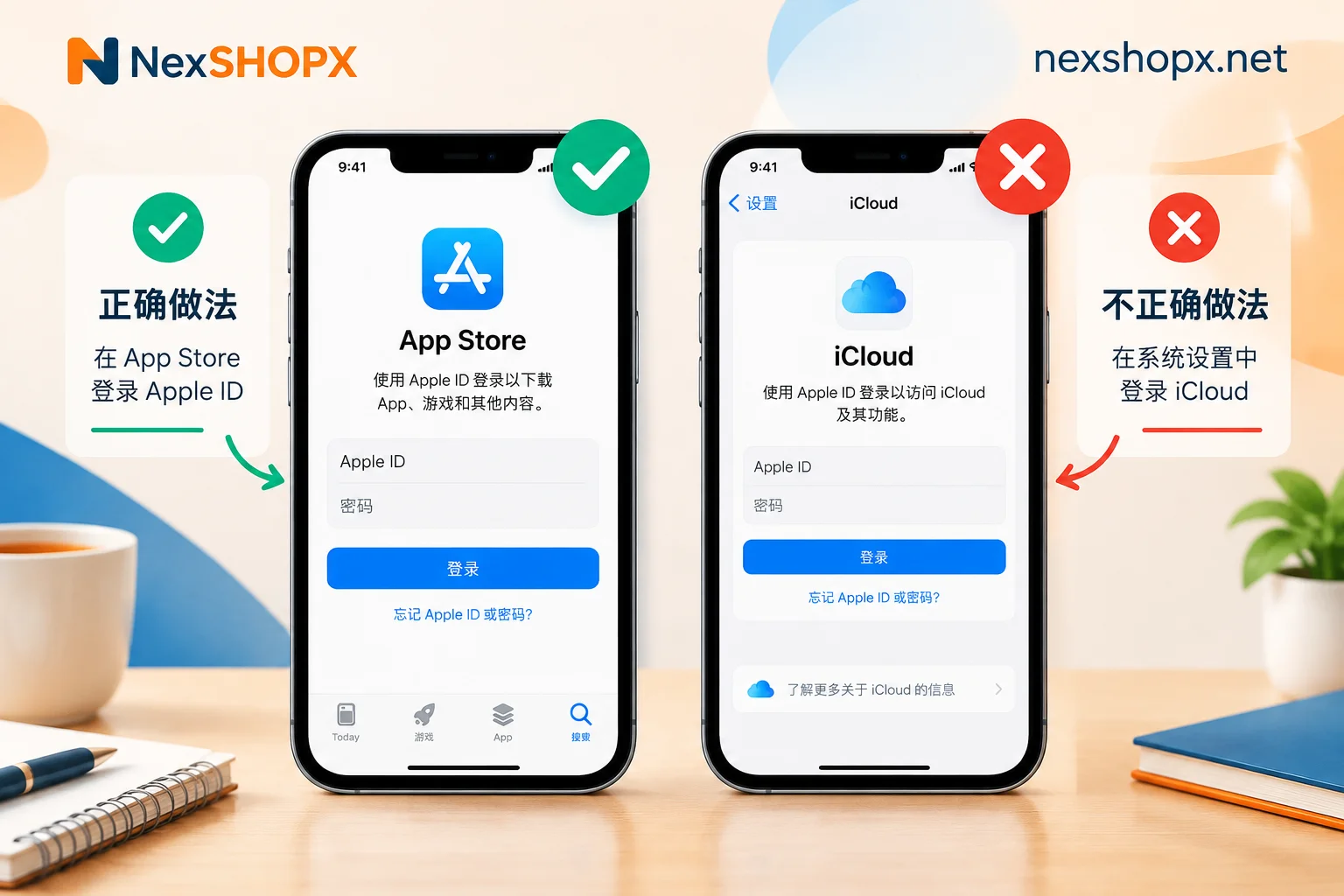
- Log in only to App Store, strictly forbidden to log in to system settings and iCloud
Apple IDs delivered by NexSHOPX are all in an 'iCloud not activated' state. After receiving the account, open the App Store on the desktop, tap the avatar in the upper right corner, scroll to the bottom to sign out of the original account, and then enter the new account to log in. Never log in to a foreign account at the iCloud entry at the top of the phone's 'Settings' to avoid triggering device locks or mixing personal contacts, photos, and other private data. - When a two-factor authentication prompt appears, select 'Other Options - Do Not Upgrade'
Modern iOS systems often pop up a prompt to enable two-factor authentication when logging in with an account not bound to a phone number. If you are only using it to download software, tap 'Other Options' at the bottom of the pop-up and select 'Do Not Upgrade' to enter the store directly, saving the trouble of receiving a verification code every time you log in. - Comply with the first login time limit and data modification rules
After delivery, please complete the first login verification within the time limit specified on the product page (for the specific starting logic, refer to 'When must a purchased account complete its first login? From which moment does the time limit start?'). As for whether you can immediately change the password or data after receipt, please refer to the product page description of the purchased specification—some categories prohibit modification of underlying data during the warranty period. Risk control caused by unauthorized changes or high-frequency shared logins across multiple devices will not be covered by the Terms of Service and Warranty Rules.
If you are a cross-border e-commerce, social media matrix, or app testing team needing to purchase Apple IDs in bulk for specific countries and regions, or want to further confirm the stock of a certain aged account with purchase records, you can directly visit the Apple ID business details page or contact Telegram online customer service for bulk order quotes and selection advice.


Comments(0)