 NexSHOPX-官方新闻
The primary task when first logging into an overseas account is not changing the password, but confirming control. The fact that Microsoft Entra ID will make Passkey the default experience on September 1, 2026, marks the point where the traditional logic of "change password to take over" fails at the underlying technology level.
First Login for Overseas Accounts: Changing Password Shouldn't Be First
Many people intuitively think that the first step after getting an account is to change the password to cut off ties with the previous owner. However, in modern identity verification systems, credentials are layered: passwords, passkeys, login sessions, and recovery entries each exist independently. Changing your overseas account password only affects the first layer; it doesn't automatically invalidate passkeys stored on authorized devices, nor does it forcibly terminate active sessions on other devices.
If the original owner still has a device with biometric pairing, even if you change the password, they can still use fingerprint or facial recognition to log in without a password. Therefore, the true first task for an overseas account is to establish an independent verification method fully under your control (such as setting up two-step verification), ensuring you have a trusted anchor for subsequent operations. Only then should you consider replacing credentials.
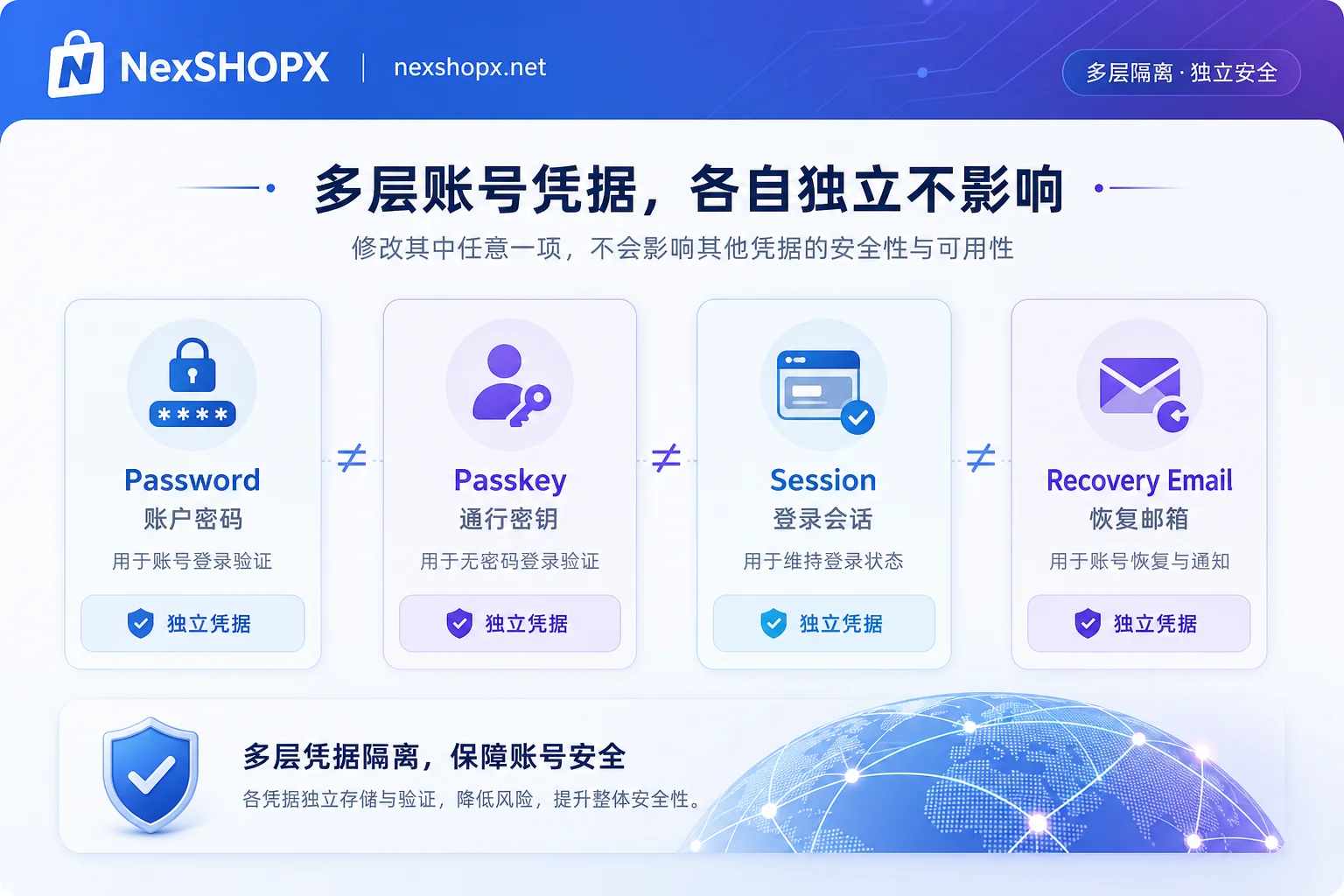
Changing Password Doesn't Delete Passkeys
According to Google's official support documentation, changing your account password does not delete or invalidate passkeys stored on physical devices. Especially for passkeys automatically generated at the Android system level, there is often no separate delete button in the "Passkeys" list under account security.
To completely remove such keys, you must go to the "Manage all devices" page, find the corresponding physical device, and perform a "Sign out" operation. This process essentially revokes the device's trust authorization for the account. The password channel and the device-side private key channel are independent; merely changing the password cannot block hardware-trust-based passwordless access paths. Checking the status of both areas (key list and device list) is key to confirming control.
Passkey Registration Prompt on Login: Microsoft Default and SMS Retirement
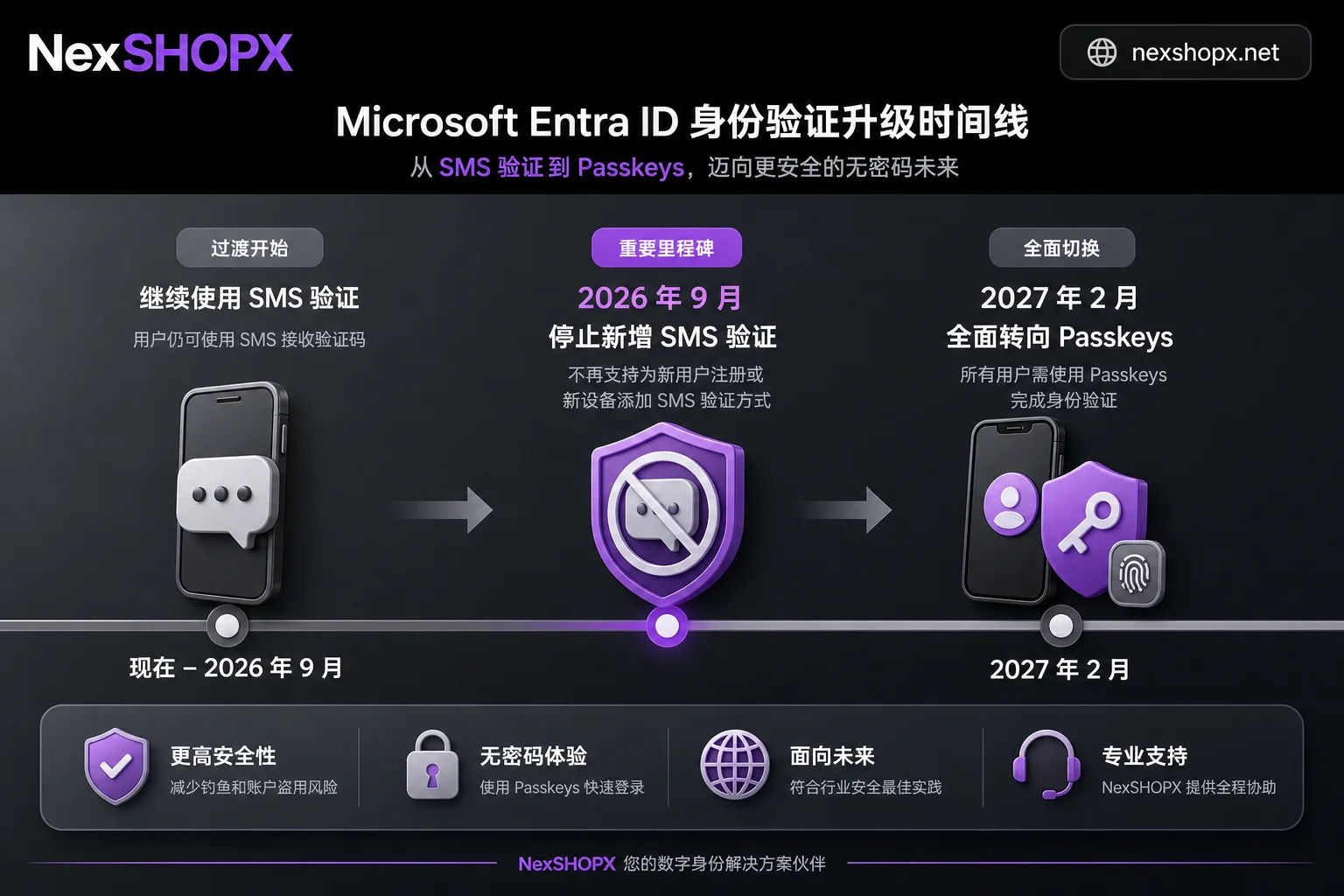
After Microsoft Entra ID announced it would push Passkey as default starting September 1, 2026, many users frequently receive prompts to register a passkey during multi-factor authentication (MFA) logins. This is not an anomaly warning but a standard process as the platform gradually phases out native SMS and voice verification codes (which will be fully retired on February 1, 2027).
Facing this prompt, choosing "Skip" means continuing to rely on SMS channel that is about to retire, which poses a risk of disconnection in long-term operations. The table below compares the potential impact under two states:
| Dimension | Relying on SMS verification codes for login | Having your own verification method on the account |
|---|---|---|
| Status after September 2026 | May face forced registration prompts on every login, cumbersome | No interruption, directly enter the preset verification flow |
| Risk after February 2027 | Microsoft's native SMS channel retired, possibly unable to complete MFA | Unaffected; passkey or app verification remains valid |
| Verification when changing devices | Need to receive SMS codes again, prone to carrier interception | Can quickly complete verification via existing device authorization or QR code |
Before purchasing or receiving an account, it's crucial to clarify the delivery form of the verification method. NexSHOPX's category search and 24/7 Telegram customer service can help users communicate these technical details upfront during transactions, reducing rework caused by incompatible verification methods after delivery. Note that platform tools mainly improve information transmission efficiency and cannot replace the target platform's identity review or KYC compliance requirements.
Active Sessions and Trusted Devices: Logging In Doesn't Mean Others Can't Get In
Login status and session are different concepts. Taking Telegram as an example, its official specifications state that relying solely on phone number verification codes cannot guarantee independent control. Once an account is in an "active session" state on another device, even if you change the password or bind a new phone number, old devices may remain online and receive messages.
You must manually execute "Terminate all other sessions" in the "Active Sessions" list in account settings. This is similar to Google's device sign-out mechanism, both targeting the cleanup of "trusted devices." This step should be done after establishing your own verification method to prevent accidentally logging out your current device and locking yourself out. After cleanup, the account should show a single active session only on the device you're using.
Confirming Ownership of Recovery Entry and Cases Requiring Original Owner Cooperation
Not all settings can be changed unilaterally. If the account currently has a valid verification method, you can directly modify the recovery email in settings. However, if the modification process itself requires sending a verification code to the old email, you must contact the original owner to obtain that code; otherwise, the change cannot be completed. This is why establishing an independent verification entry must take priority over modifying recovery information. When an account recovery process is triggered, the system bypasses the current logger-in and sends a reset link to the registered recovery entry, the form of which varies by platform and account status.
Additionally, on the day you take over, you may encounter three scenarios: those you can complete independently (like adding your own authenticator app, cleaning sessions on non-personal devices, changing the password); those requiring the other party's presence (like unbinding the old recovery email/phone, removing certain permissions on the other person's device); and those the platform simply does not allow, e.g., strictly verified platforms like Amazon seller accounts. The official has repeatedly stated that main accounts are generally non-transferable; forced transfer can easily trigger secondary review or ban. The compliant path is usually limited to sub-account authorization or legal entity changes. Specific details should be based on the seller platform's own account policy terms and the current policy of the account's site. In such cases, do not attempt to bypass platform risk controls through technical means.
FAQ
What to do when first logging into a newly bought overseas account?
First, don't rush to change the password. Instead, check and add your own verification method (like an Authenticator App or passkey). Then look at "Active Sessions" or "Logged-in Devices" and manually kick out unrecognized devices. Finally, handle password change and recovery information updates, ensuring each step has a controllable verification anchor.
What if I see unfamiliar devices online on the day I take over?
Different platforms have different entry names. For Google accounts, check "Your devices"; for Telegram, it shows under "Active Sessions". Focus on device models and locations you don't recognize or didn't log out, and determine which devices aren't yours based on login times and whether the device models match what you actually have. Then log them out one by one. Entry names vary by platform, so refer to what's shown in your account.
Should I set up a passkey when prompted on first login?
It's recommended. Especially for Microsoft Entra ID accounts, with the push towards passkey default in September 2026, skipping this step may lead to future reliance on SMS verification that is being phased out, increasing the risk of login failure. Registering a passkey provides a more stable and phishing-resistant login experience, aligning with the platform's long-term direction.
How do I change the recovery email on a newly acquired account?
If the account currently has a valid verification method (like an app you just bound), you can directly modify the recovery email in settings. But if the modification process requires sending a verification code to the old email, you must contact the original owner to get that code; otherwise, the change cannot be completed. This is why establishing an independent verification entry must take priority over modifying recovery information.


Comments(0)