 NexSHOPX-官方新闻
If your question is simply "which is harder to phish and harder for a man-in-the-middle to steal," the answer is Passkey. It binds the key to the target website's domain, so a phishing page gets nothing useful.
But if you're asking "which one should I bind to this batch of accounts," the answer depends on three things: whether the account is for you alone or shared by a team, what devices you log in from, and whether the platform allows you to rebind. Authenticators (the 6-digit codes in an authenticator app, i.e., TOTP) are a generation behind in security, yet they are the better side for managing multiple accounts and handing over accounts. Below, I break down the difference and the applicable scenarios.
Where the difference lies
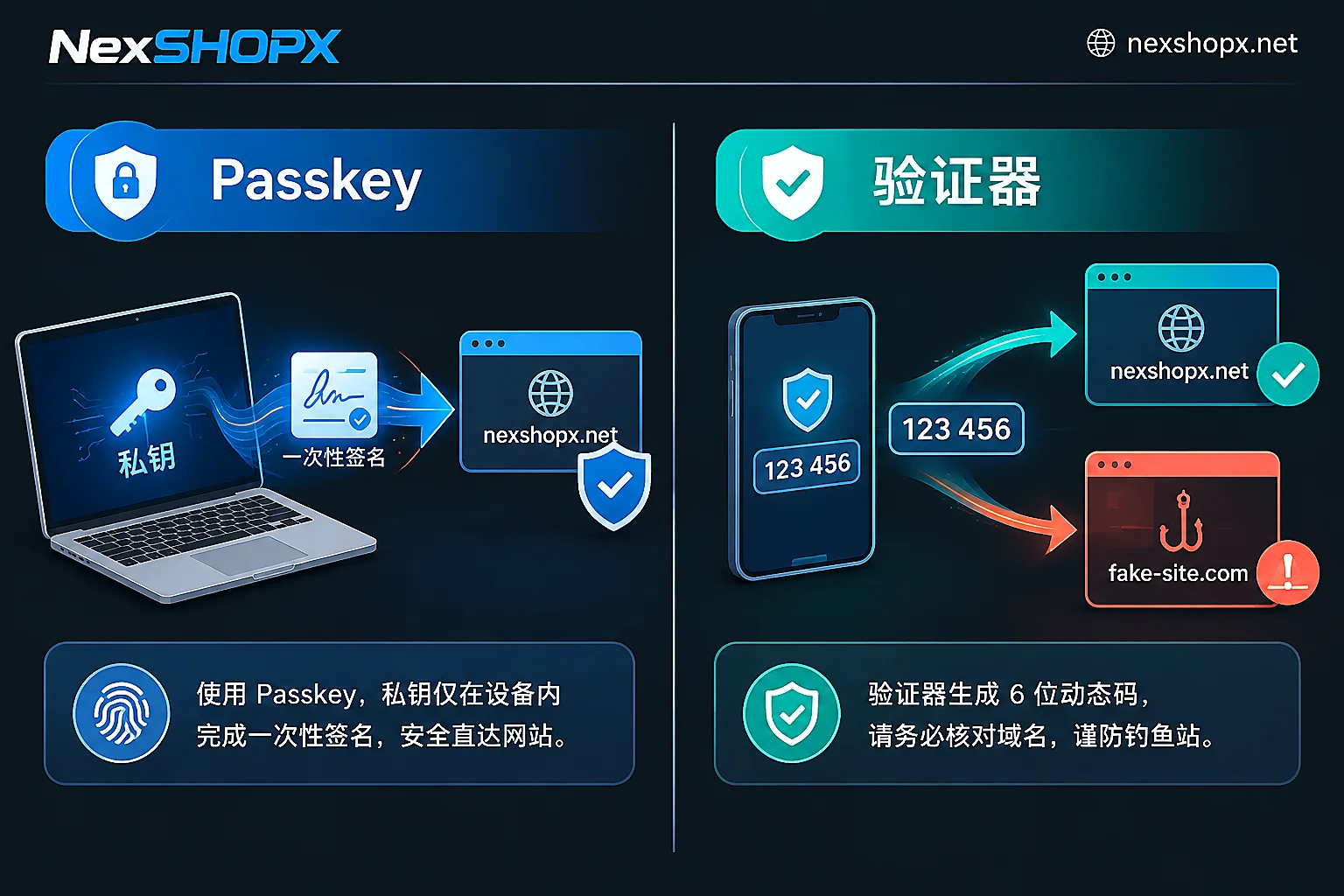
Where the key is stored. Passkey uses asymmetric keys: the platform server only stores the public key, while the private key stays in your device's secure chip or encrypted keychain. If the platform database is breached, the attacker gets only the public key and cannot forge a login. Authenticators work differently—they share the same secret seed with the server, and the platform must store that seed to verify your codes. Once the database leaks, an attacker can offline-batch compute the next verification code for any account.
What the code is bound to. With Passkey, each login the server sends a one-time random challenge, and your device signs only that challenge; the signature is valid once and cannot be replayed. Moreover, the signature is only triggered when accessing the legitimate domain—if the domain is wrong, nothing is sent. TOTP's 6-digit code has nothing to do with the website you're visiting—whichever page you enter it on, it works there. This is why reverse-proxy phishing tools like Evilginx can capture both the password and the dynamic code, then take over the session. When CISA promoted FIDO authentication, it explicitly classified Passkey-type methods as phishing-resistant authentication and SMS and TOTP as traditional multi-factor still vulnerable to phishing.
Validity period. A Passkey signature is void after one use. Dynamic codes have a 30- to 60-second window during which they can be reused; the real leaks are often not the algorithm but someone on the team taking a screenshot of the binding QR code or pasting the Base32 secret in plaintext into a shared document.
So should authenticators be phased out?
No. Its two "disadvantages" are exactly its two conveniences.
The secret seed is a read-write string in an open format that can be imported into any authenticator app, password manager, script, or fingerprint browser environment. When a team manages dozens or hundreds of business accounts, this can be centrally backed up, batch-distributed, and handed over along with the accounts. Passkey cannot do this: device-bound types require a new process when switching machines, and cloud-synced types can follow the account but have uneven compatibility across macOS, Windows, Linux, and multiple browser environments, and handing over to a colleague adds another hurdle.
So the decision can be simplified to:
- Personal main account, used only by you, and the platform supports it—bind a Passkey; binding two (e.g., phone plus a computer) is even more robust.
- Bulk business accounts, shared by multiple people, running in multiple fingerprint environments—authenticators are more realistic; use a shared password manager or key vault for unified storage.
- The platform offers only one option—go with what the platform provides; don't standardize for standardization's sake.
What really determines the security ceiling is the recovery channel
This point is worth watching more than which verification method you choose. Whether you bind a Passkey or an authenticator, if the platform still leaves SMS codes, security questions, or a weak email recovery path you can receive, an attacker can bypass strong authentication and directly downgrade login through the fallback entrance. No matter how good strong authentication is, it can be leaked through the loosest door.
After taking over an account, the suggested order of actions: first confirm that the email and backup email are in your hands, then check each recovery entry listed by the platform, delete or replace the extra ones with ones you control, and finally bind a Passkey or authenticator. After binding, log in again a day later to confirm no risk control was triggered by the rebinding.
Specifically for accounts you purchase
If you get a ready-made account from a marketplace, the situation is a bit more complex: when the account arrives, the bound authenticator might be in the seller's environment, or the platform's own SMS channel.
When purchasing, it's worth asking two things on the product page: which two-factor authentication method the account currently uses, and whether the handover includes the authenticator secret or rebinding assistance. These two points directly determine whether you can fully take over the account within the first-login deadline. Different categories have different delivery methods and after-sales scope—NexSHOPX offers in-stock self-service ordering and automatic delivery, pre-order items are delivered after customer service confirmation, and warranty duration and first-login deadlines are as stated on the product page; commonly it's a limited time to complete first login after ordering, and replacement within the warranty period if disabled, but some categories do not allow profile changes during the warranty; read the terms before modifying.
To prepare a purchase or compare specs, start from all categories; place orders in the shop, and warranty and delivery rules are uniformly written on the terms page.
Common pitfalls when rebinding
- Bind the new verification method before unbinding the old one. If the order is reversed, there will be a period when the account has neither strong authentication nor access.
- Save recovery codes. Most platforms generate one-time recovery codes when binding strong authentication; it is the only thing that can save the account after device loss—don't store it only on the device.
- When handing over an account, include the authenticator secret in the handover checklist; without it, the successor only gets half a key.
- Don't rush to change profile info during the warranty period. Some categories list profile changes other than email and password as voiding the warranty; confirm the rules on the product page before making changes.
Before deciding, you might also read two related pieces: SMS or authenticator app for two-factor authentication explains why authenticators are preferred for shared accounts and cross-border logins, and how to confirm account recovery channels are under your control is the round of checks to do before binding strong authentication.


Comments(0)