 NexSHOPX-官方新闻
Why does importing cookies still fail to log in? In most cases, it's not an operational error but an issue at one of three layers: file/domain, browser protocol, or account status. Especially since April 2026, Chrome 146 has enabled Device Bound Session Credentials (DBSC) by default on Windows with TPM 2.0, making pure cookie imports across devices fail at the protocol layer.
First, the conclusion: three-layer troubleshooting clues
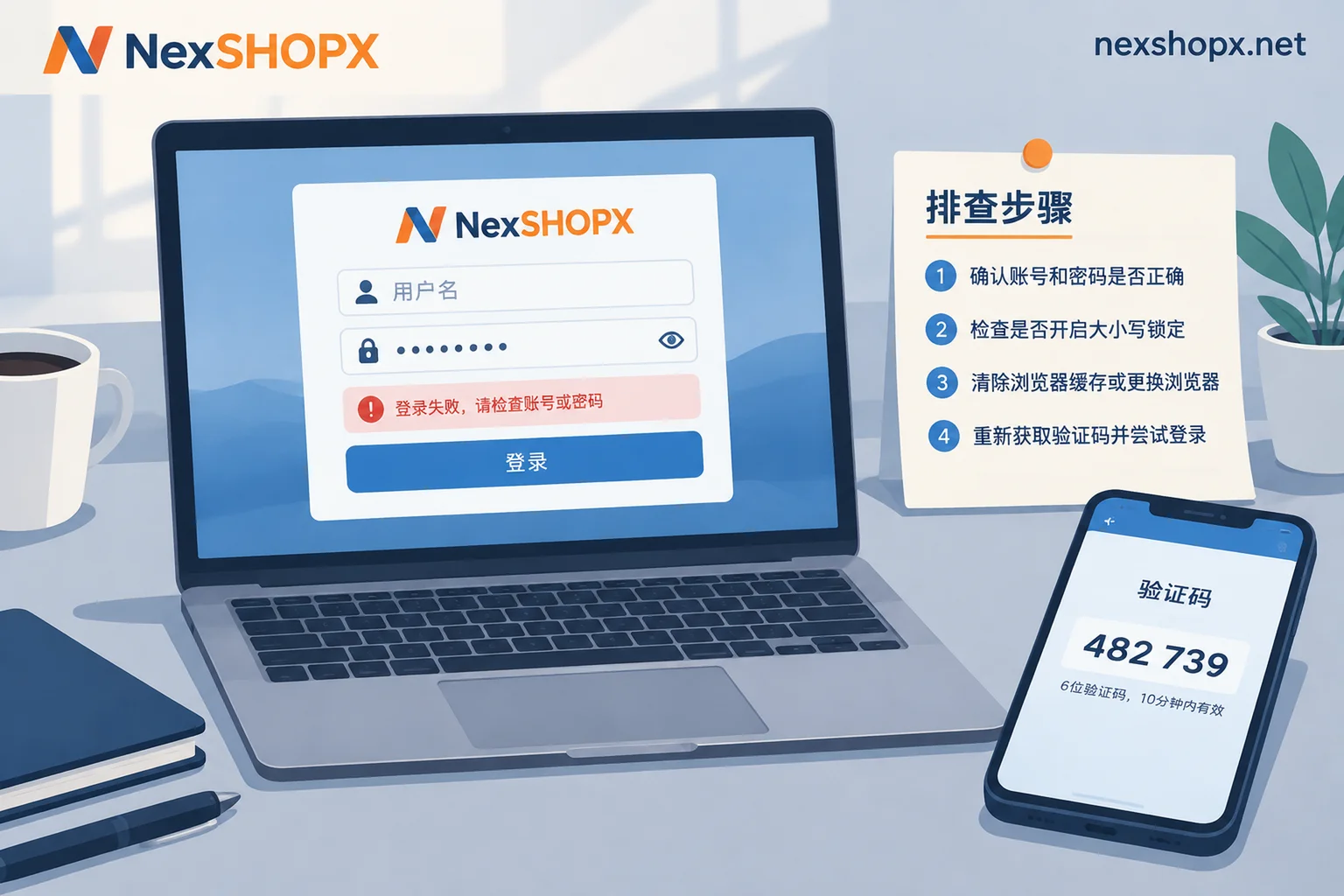
Why does importing cookies still fail to log in? You can quickly locate the issue with one sentence: if you see no login state at all after import, it's likely a file/domain layer issue; if you can get in but get logged out on refresh or after a while, it's probably Chrome 146's DBSC; if you see a "re-authentication required" prompt, it's an account status layer issue.
According to Chrome official documentation (Device Bound Session Credentials, April 2025) and BleepingComputer's April 2026 report, DBSC binds short-lived session cookies to the private key in the original device's TPM. The browser must periodically use that private key to sign session refresh challenges from the server to renew the session. Cookies imported from another device cannot complete this signing, so the server disconnects and redirects to the login page. This is why "even with the correct format, you can't log in" is becoming the norm.
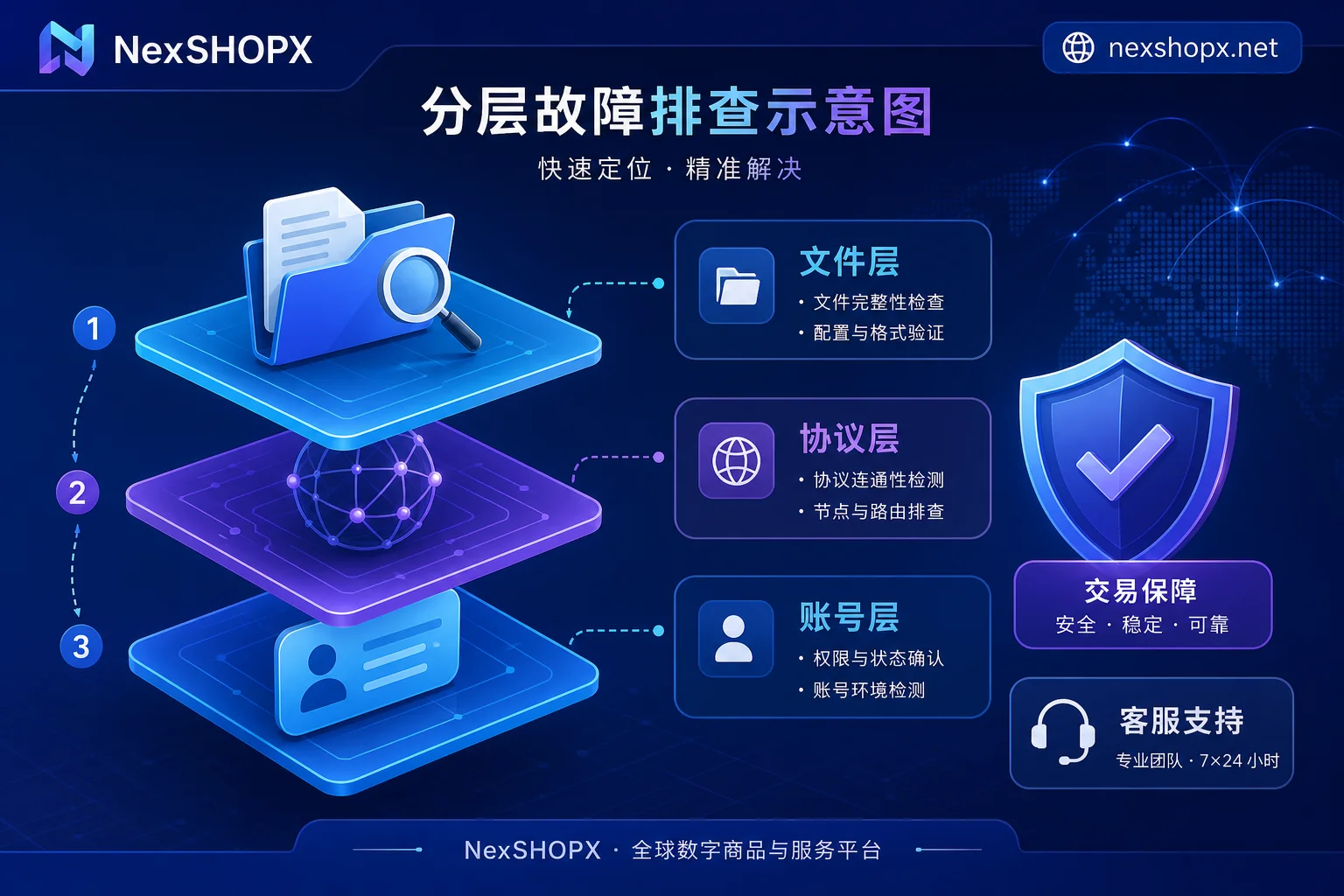
Layer 1: File and domain layer – missing fields, expiration, and path mismatch
This layer is the most basic and often masked by plugin errors. Typical symptom: after import, you see the cookie entries, but the target site still shows you as not logged in.
Please check in the following order:
- First, check if the entry count is complete. It's common to only import the main domain and miss subdomains (e.g., www and root domain);
- Then verify expiration times. Many session cookies only last a few minutes to hours; they may have expired by the time you get them;
- Finally, check attributes like domain, path, Secure, HttpOnly, SameSite – ensure they match the target site. Different browsers or plugins handle these attributes differently when exporting.
It's recommended to re-import in an incognito window to rule out cache interference. If it still doesn't work, the problem is likely not in this layer.
Layer 2: Protocol layer – importing cookies on a new computer logs out on refresh; DBSC is the main cause
This is the core of this article. DBSC (Device Bound Session Credentials) is a security mechanism that Google has enabled by default in Chrome 146 on Windows with TPM 2.0. Simply put, it turns session cookies into "short-term credentials" and requires the browser to periodically use the non-exportable private key in the local TPM to sign "session refresh challenges" from the server.
This means: even if you export cookies from another computer with complete fields and correct format, as long as they are detached from the original device's hardware private key, the first refresh challenge will fail signature verification, and the server will deem them invalid, forcing a redirect back to the login page. This is exactly why "cookie import successful but still prompts login" and "importing cookies on a new computer logs out on refresh" happen.
It should be noted that this is a protocol design; there is no plugin or tool that can extract and migrate TPM private keys across devices, so there is no workaround. On macOS, Secure Enclave support is still being rolled out gradually, with a different pace than Windows, so don't generalize.
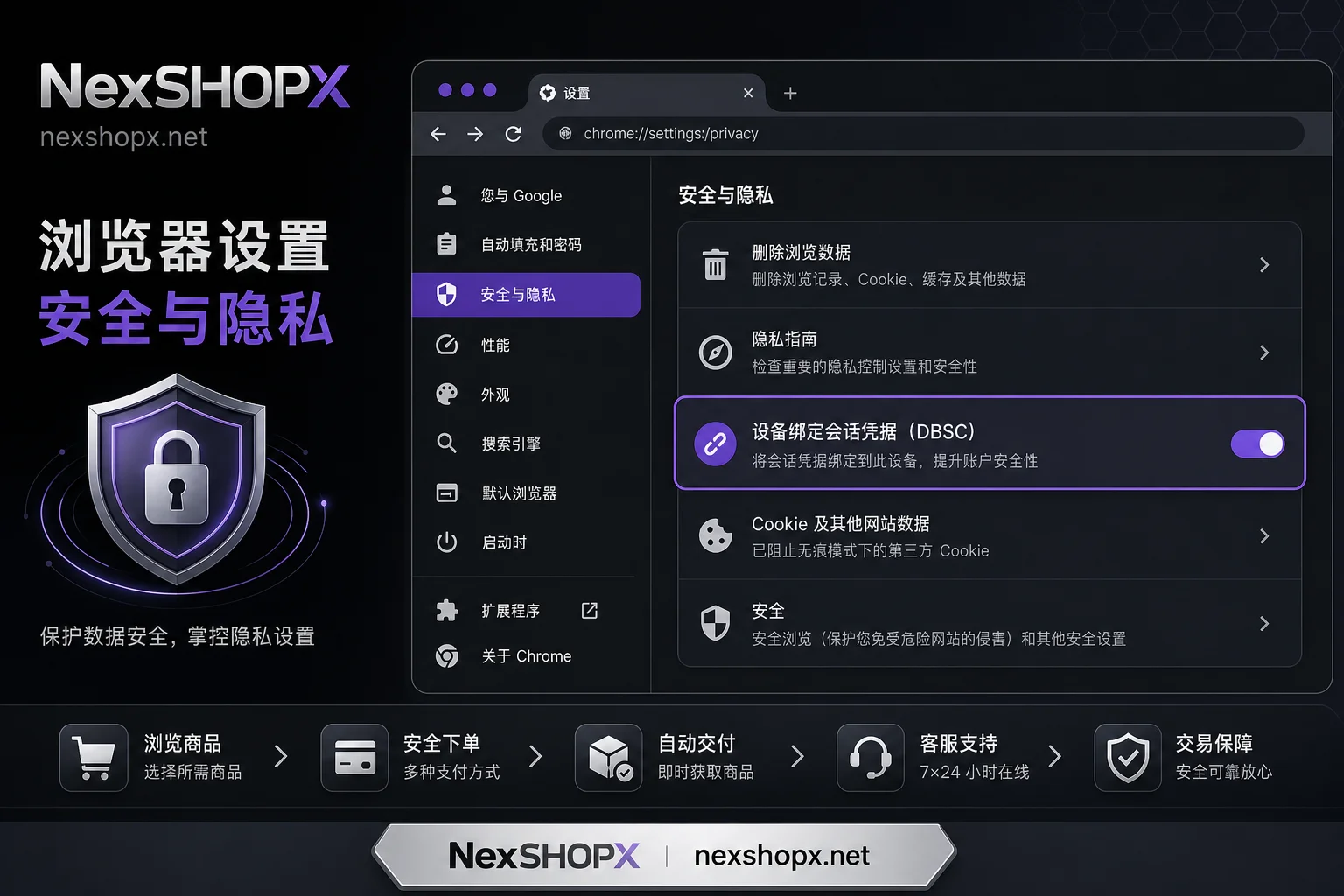
Layer 3: Account status layer – distinguishing re-authentication, remote risk control, and account restrictions
When you see "re-authentication required" after importing cookies, don't rush to blame the cookie file; the platform may have intervened. Typically, there are three scenarios:
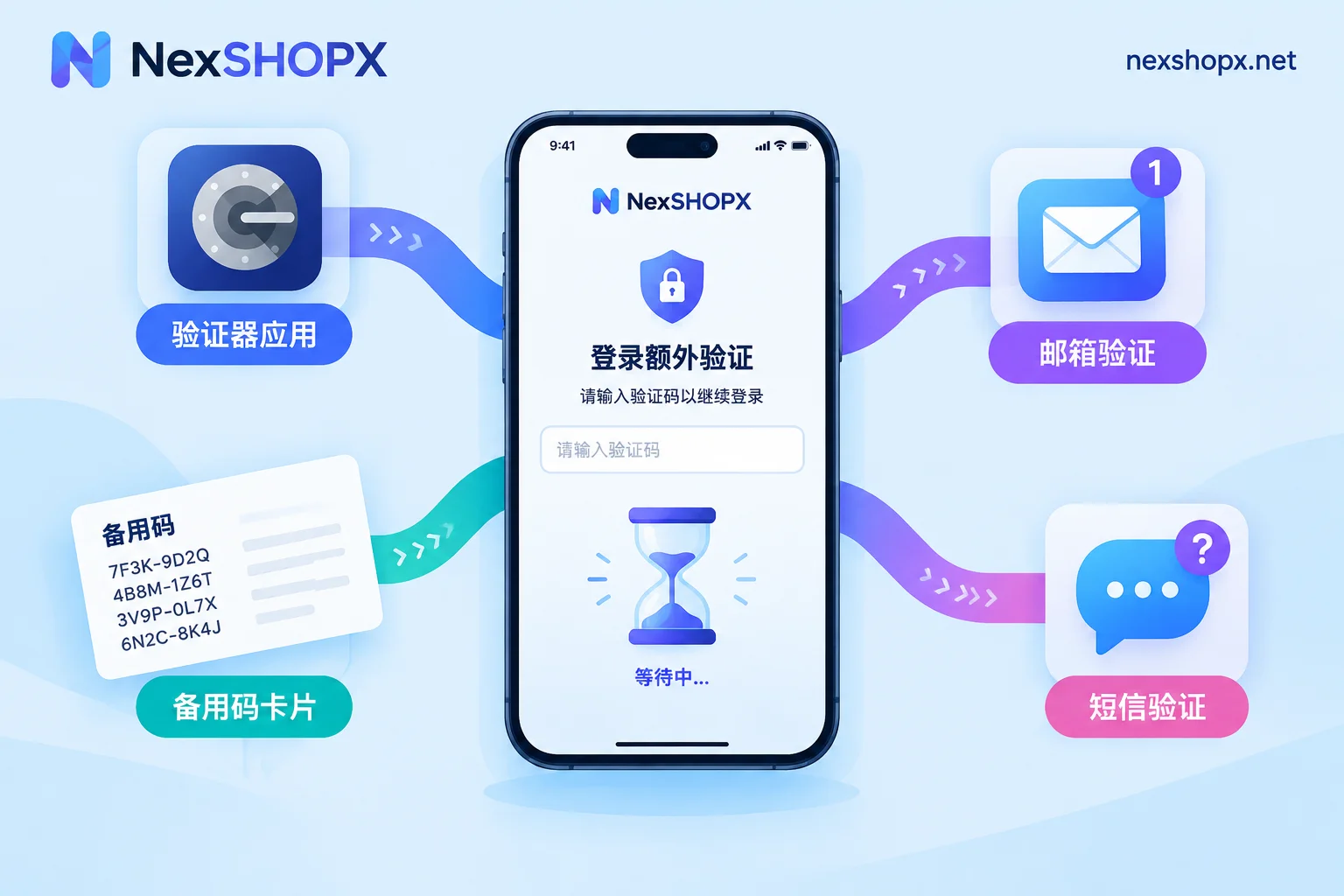
- Requires verification: The platform asks you to enter an email code, SMS code, or 2FA code. This is a standard security process; complete it and you're done. If you don't have access to the verification channel, refer to Secondary verification for overseas accounts to prepare for transfer in advance.
- Remote risk control: Due to abnormal IP or device environment, the platform asks you to confirm your device or delays access. Usually, waiting or completing a CAPTCHA can restore access.
- Account restriction: The account has been restricted due to violations or theft. In this case, no session can be recovered; only the account owner can contact the platform to appeal.
The judgment method is simple: look at the prompt text. If it says "verify your identity", you can still recover; if it directly says "account has been restricted" or "disabled", then no amount of cookies will help.
The following table connects the three layers of symptoms for "why does importing cookies still fail to log in", allowing you to locate your problem within two minutes.
| Layer | Typical Symptom | Common Scenarios | Self-Check Actions | Can You Resolve on Your Own | What to Ask the Seller |
|---|---|---|---|---|---|
| File & Domain Layer | No login state at all after import | Incorrect format, missing fields, expiration, domain/path mismatch | Verify entry count, expiration, attributes; retest in incognito | Mostly can resolve on your own | Provide correct export format and complete fields |
| Protocol Layer (DBSC) | Can log in after import, but logged out on refresh or shortly after | Chrome 146 + Windows TPM 2.0 environment | Test on a different device or browser | Cannot, protocol limitation | Provide complete credentials and recovery entry points |
| Account Status Layer | Prompt for re-authentication | Remote login, risk control, account restriction | Follow prompts to verify or appeal | Partially can resolve | Provide recovery email, phone number, etc. |
Why "able to log in" should not be the acceptance criterion for delivery
Many buyers consider "the seller can log in" as acceptance, but sessions are temporary states that can expire, and under DBSC, they are tied to hardware. Even if the seller demonstrates that they can log in on their computer, you may not be able to reuse it on yours. In such cases, refer to the troubleshooting ideas in Account login failure handling to clarify responsibility boundaries first.
A more reliable acceptance criterion should include: Can you independently change the password? Can you receive verification codes? Can you access security settings and change binding information? Only when these "recovery entry points" are in your hands can the account be considered truly delivered. Otherwise, once the session expires or triggers verification, you'll have to rely on the seller again, and all risk is on your side.
What to ask the seller: complete credentials and recovery entry points, not just a cookie pack
Before purchasing, it's recommended to include the following in your communication records as a delivery checklist:
- Login email/username and password;
- Bound email and its controllability (can you receive verification codes);
- Transfer method for 2FA (e.g., backup codes, authenticator);
- Recovery email and backup codes;
- Associated phone number status;
- Explanation of binding and authorization relationships.
After receiving the account, follow this order: verify you can log in → immediately change your password (refer to Overseas account password change for guidance) → transfer 2FA → clear old sessions. If a seller claims "cookie is enough for permanent login without a password", you can directly ask: How do you migrate TPM private keys under DBSC? This helps you filter out unprofessional sellers.
Where NexSHOPX can help in this chain, and where its limits are
In the Overseas account delivery process, NexSHOPX emphasizes that the store supports category-based search and self-service ordering. You can confirm before purchase whether the delivery includes the complete credentials and recovery entry points mentioned above. After quick delivery, if the first login fails, you can submit screenshots and failure timestamps within the limited after-sales window, and the 24/7 Telegram customer service will assist in troubleshooting.
But the boundaries must be clear: browser and platform mechanisms like DBSC are protocol-level restrictions. No seller can promise to bypass them, nor do they promise the account will be permanently usable or never trigger verification. If you encounter such issues, first check the three layers yourself, then decide whether to contact customer service.
Compliance Reminder
Account usage must comply with the target platform's terms of service, local laws and regulations, and real-name/KYC requirements. Purchasing account resources cannot be used to bypass moderation, bans, or identity verification; if the usage is non-compliant, any delivery format cannot reduce risk. Please ensure you use account resources legally and compliantly.
FAQ
Cookie import is successful but still prompts login. What should I do?
First check if you only imported the main domain and missed subdomains, then confirm whether the cookie has expired. If both are fine, it's likely due to DBSC in Chrome 146, because the original device's TPM private key cannot be migrated with the cookie. In that case, you must ask the seller for the complete account password and recovery entry points, and log in normally.
Cookie import fails after a Chrome update. What should I do?
If cookies that worked before suddenly fail after an update, it may be because the new Chrome has enabled DBSC by default, causing old sessions to fail refresh challenges. Try logging in again to get a new session. Different browsers have different support progress for DBSC, but sessions can still be terminated by the server at any time. The safest approach is to log in with full account credentials and transfer 2FA.
Importing cookies on a new computer logs out on refresh. What's the cause?
This is a typical DBSC cross-device failure. The new device lacks the original machine's TPM private key, so it cannot complete session refresh challenges, and the server disconnects on the first refresh. Currently, there is no legal workaround. It's recommended to use the account password to log in directly, and change the password to clear old sessions.
Can session cookies be used on another device?
At present, DBSC is mainly enabled by default in Chrome 146 on Windows TPM 2.0, while other browsers and platforms have varying adoption; but sessions are inherently temporary states that the server can terminate unilaterally, so they should not be relied upon for long-term login. The most reliable method is to log in with full account credentials and transfer 2FA.
Are cookie packs from purchased accounts usable?
On most modern browsers and protected platforms, cookie packs are not guaranteed to work long-term, especially under DBSC. It's recommended to require the seller to provide complete credentials (password, email, 2FA transfer method), and immediately change the password and clear old sessions. If the seller only provides cookies, carefully consider the transaction risk.
Cookie import prompts re-authentication. How to handle?
This falls under the account status layer. First confirm the prompt form: if it asks for email/SMS code, it can usually be verified; if it shows account restriction, you need to contact platform support. If you cannot receive verification codes, contact the seller immediately to obtain the account's recovery email or backup codes.


Comments(0)